



















Panduan / Common followers on Instagram
How to find common followers between two Instagram accounts
Instagram can’t tell you who follows both of two accounts. Export both follower lists, then compare them in one click: the overlap, the differences and the combined audience.
Oleh Pierre Carron · Diperbarui Oktober 2026
Langkah demi langkah
- Export the first list. With Follower Exporter, export the followers of the first account (for example yours).
- Export the second list. Export the followers of the second account (a competitor, a partner, a similar creator).
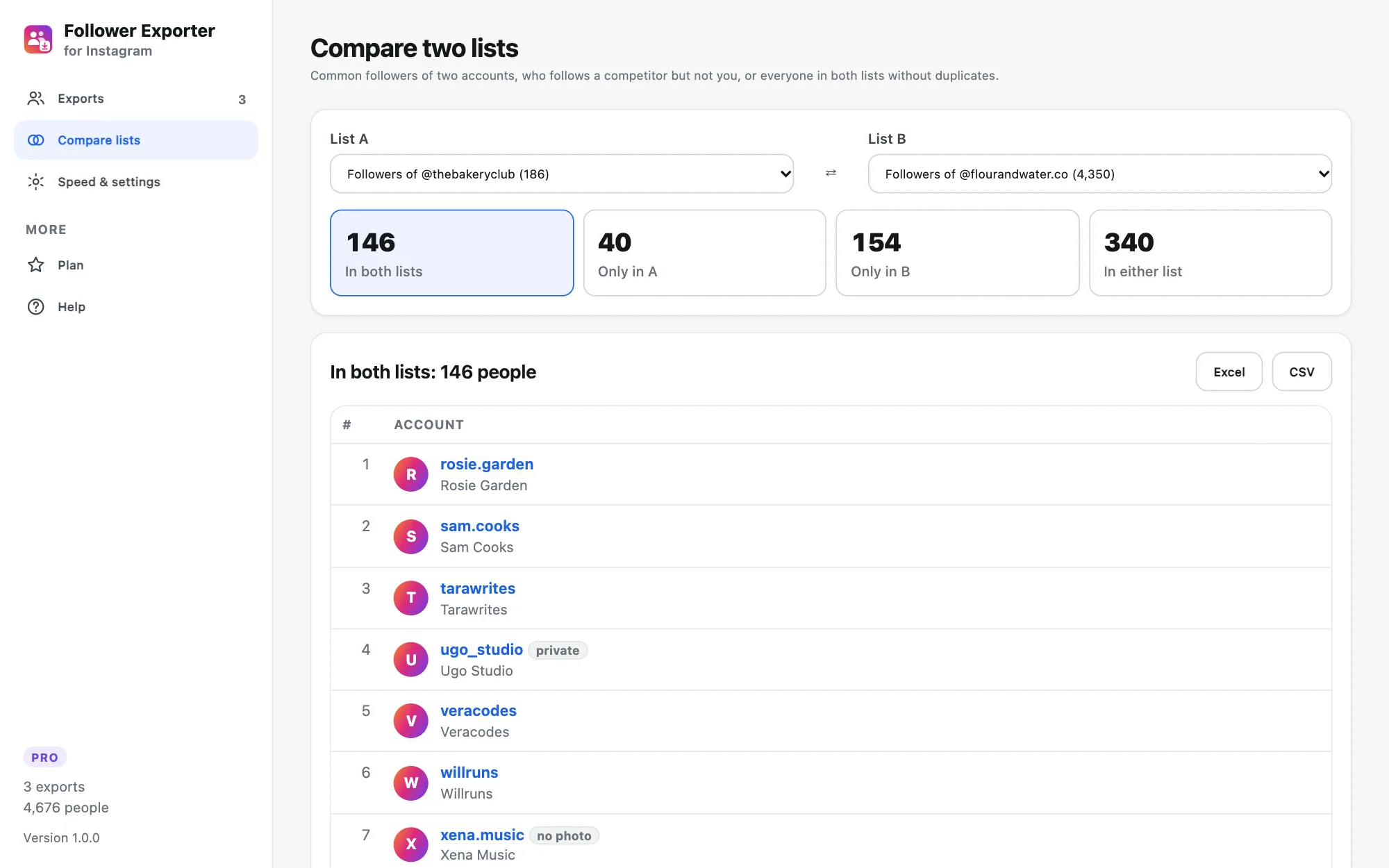
- Compare. Open "Compare lists" in the dashboard and pick the two exports. You immediately see how many people are in both, only in one, or in either.
- Download a group. Click a group, then Excel or CSV (Pro) to download exactly those people.
Coba gratis di akun publik mana pun. Versi gratis mengekspor 100 orang pertama dari daftar mana pun ke CSV. Pro hanya $19,90 sekali bayar untuk seluruh daftar, detail profil, dan Excel.
What to do with it
"Only in B", when B is a competitor, is the audience that already likes what you do but doesn’t know you yet. "In both" shows how much two partners overlap before a collaboration or a joint giveaway. "Either" merges two lists without duplicates.
Free version
The comparison counts are free on any two exports (the free version exports up to 100 people per list). Pro shows and downloads the people in each group, on whole lists.
Panduan lainnya
- How to export Instagram followers to Excel (or CSV)
- How to export the accounts someone follows on Instagram
- How to export a Microsoft Teams chat to PDF
- How to export a Microsoft Teams chat to Excel or CSV
- How to save Microsoft Teams messages as a credible record
- How to save your Microsoft Teams chats before you leave a job
- How to keep a record of a Microsoft Teams conversation
- How to export the guest list of your Facebook event