



















How to download all posts from a Facebook group
Facebook has no "download group" button. Its "Download your information" tool only exports your own posts, not the whole group. Here is how to save an entire group (every post, comment and reply) in a few clicks.
작성자: Pierre Carron · 2026년 10월 업데이트됨
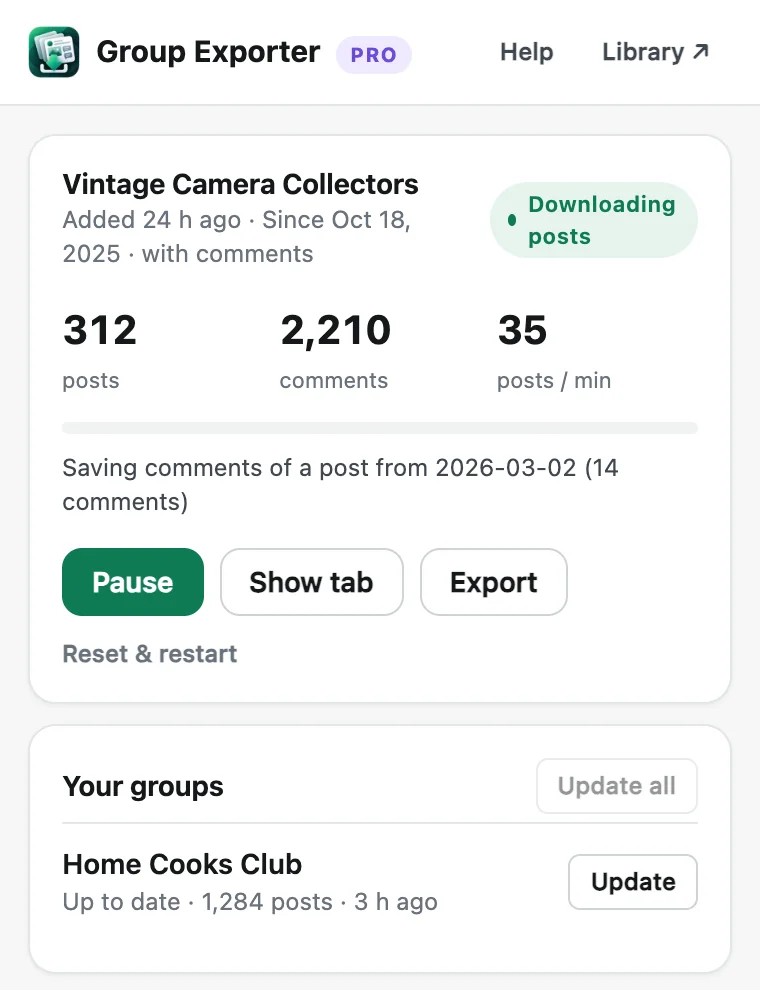
단계별 안내
- Install Group Exporter for Facebook. Add the free Group Exporter for Facebook extension to Chrome and pin it to your toolbar.
- Open the group. Log in to Facebook as usual and open the group you want to download. It can be public, or private if you are a member.
- Start the download. Click the Group Exporter for Facebook icon, choose "Everything" or "Since a date", keep "Comments & replies" on, and click "Download this group".
- Export your data. When it finishes, open your Library to search the posts, or export them to CSV (Excel), an offline HTML/PDF archive, JSON or AI-ready JSONL.
Why Facebook's own export doesn't work for groups
"Download your information" only includes content you created. Posts written by other members, and the comments under them, are not included. Copying posts by hand works for a handful of posts, but long discussions hide comments behind "View more comments" and "View replies" links. Large groups can have tens of thousands of posts.
What gets saved
For every post: author, date and time, full text (never truncated), reactions, comment and share counts, photos with their descriptions, shared links and the permalink. For every comment and reply: author, date, text, reactions and the comment it replies to, so whole threads can be rebuilt.
How long does it take?
Facebook loads posts in small batches, and Group Exporter for Facebook waits between requests like a person would, to protect your account. Expect a few thousand posts per hour with comments, and much faster for posts only. You can pause anytime, and even close Chrome. It continues exactly where it stopped.
Keeping the download up to date
After the first download, "Update now" fetches only what is new: new posts, new comments on recent posts, and older discussions that got new replies. With Pro it runs automatically every day.
Free vs Pro
The free version downloads up to 200 posts from one group with all their comments, so you can test it on your own group. Pro is a one-time $24.90 for unlimited groups and posts, every export format and automatic updates.
다른 가이드
- How to export all comments and replies from a Facebook group
- How to get a Facebook group into Google Sheets
- How to download the photos from a Facebook group
- How to export a private Facebook group you're a member of
- Facebook group analytics without admin access
- How to export the members of a Facebook group
- How to analyze a Facebook group's activity, members and top posts
- Collecting Facebook group data for academic research