



















Poradniki / Who doesn't follow you back
How to see who doesn't follow you back on Instagram, and unfollow safely
Following people who never follow back hurts your ratio and clutters your feed. Finding them by hand means opening hundreds of profiles. Here is how to get the full list in a minute, and clean it up without triggering Instagram's limits.
Autor: Pierre Carron · Zaktualizowano październik 2026
Krok po kroku
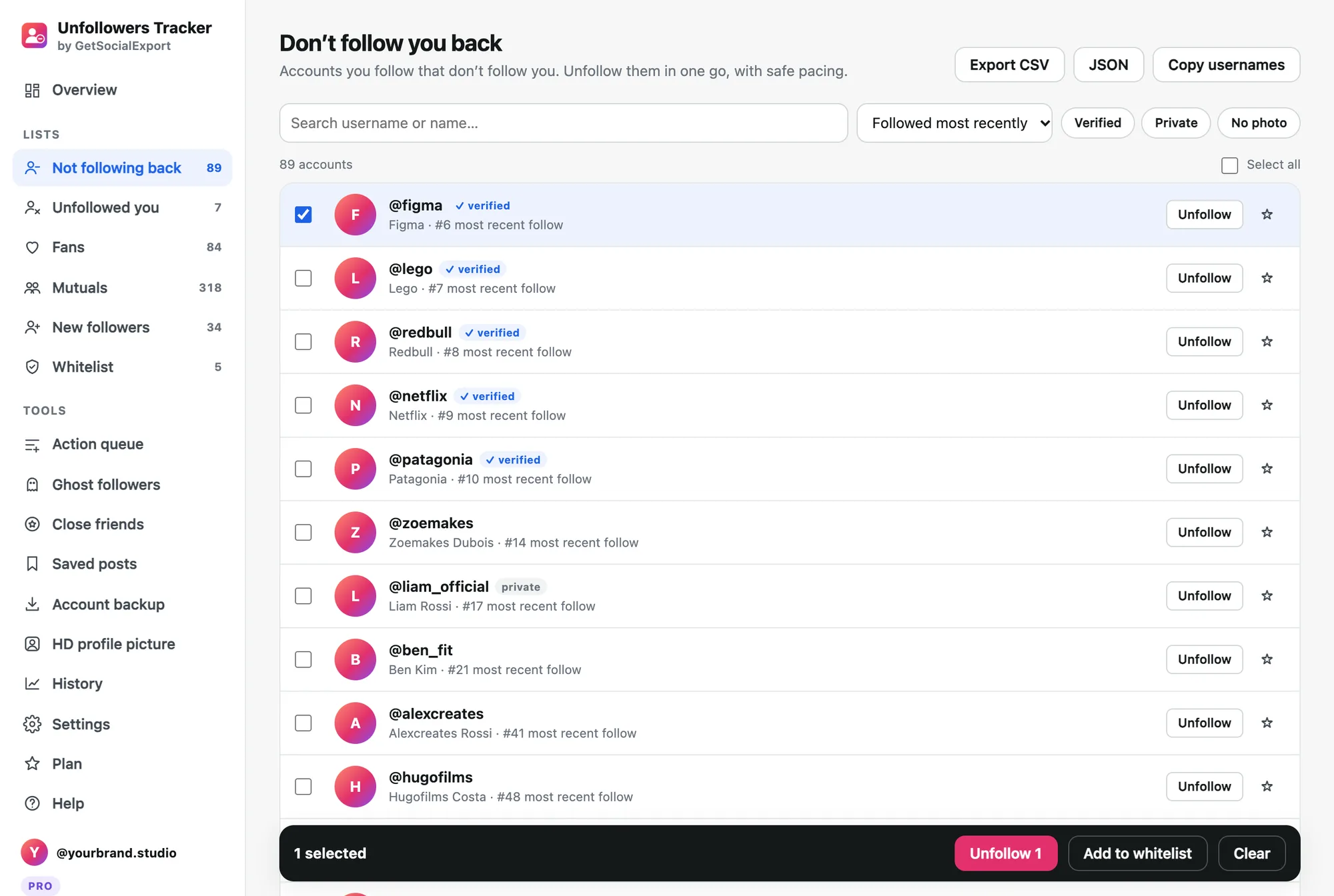
- Scan your account. Install Unfollowers Tracker, log in to instagram.com in Chrome and click "Scan my account".
- Open "Don't follow you back". The list shows everyone you follow who doesn't follow you, most recent follows first. Filter out verified accounts (celebrities, brands) if you want to keep them.
- Whitelist who you keep. Star friends and favourite accounts, or paste a list of usernames. They disappear from the list and are never unfollowed.
- Unfollow at a safe pace. Select the rest and click Unfollow. The queue works in the background with random pauses, breaks and a daily cap, and stops if Instagram shows "Try again later".
Przeskanuj swoje konto za darmo. Darmowe skanowanie pokazuje Twoje liczby i pierwsze 30 osób z każdej listy. Pro kosztuje 14,90 USD jednorazowo za pełne listy, historię i bezpieczne operacje zbiorcze.
How many can I unfollow per day?
Instagram doesn't publish its limits and they vary with the age and activity of your account. Staying around 100–150 unfollows a day, spread out with breaks, is a common safe range. New accounts should go slower: choose the Careful speed.
If Instagram blocks you
A "Try again later" message is a temporary action block. Stop for 24 to 48 hours; continuing can extend it. Unfollowers Tracker pauses the queue automatically when it sees one.
Więcej poradników
- Instagram unfollow limit: how many accounts can you unfollow per day?
- How to see who unfollowed you on Instagram
- How to export a Microsoft Teams chat to PDF
- How to export a Microsoft Teams chat to Excel or CSV
- How to save Microsoft Teams messages as a credible record
- How to save your Microsoft Teams chats before you leave a job
- How to keep a record of a Microsoft Teams conversation
- How to export Instagram followers to Excel (or CSV)