



















How to export Facebook group posts and comments to Excel
A spreadsheet is the easiest way to analyse a group: sort by engagement, filter by date or author, count topics, or share a report. Here is how to get every post and comment into Excel or Google Sheets.
Autor: Pierre Carron · Zaktualizowano październik 2026
Krok po kroku
- Download the group. With Group Exporter for Facebook installed, open the group on Facebook, click the extension icon and click "Download this group".
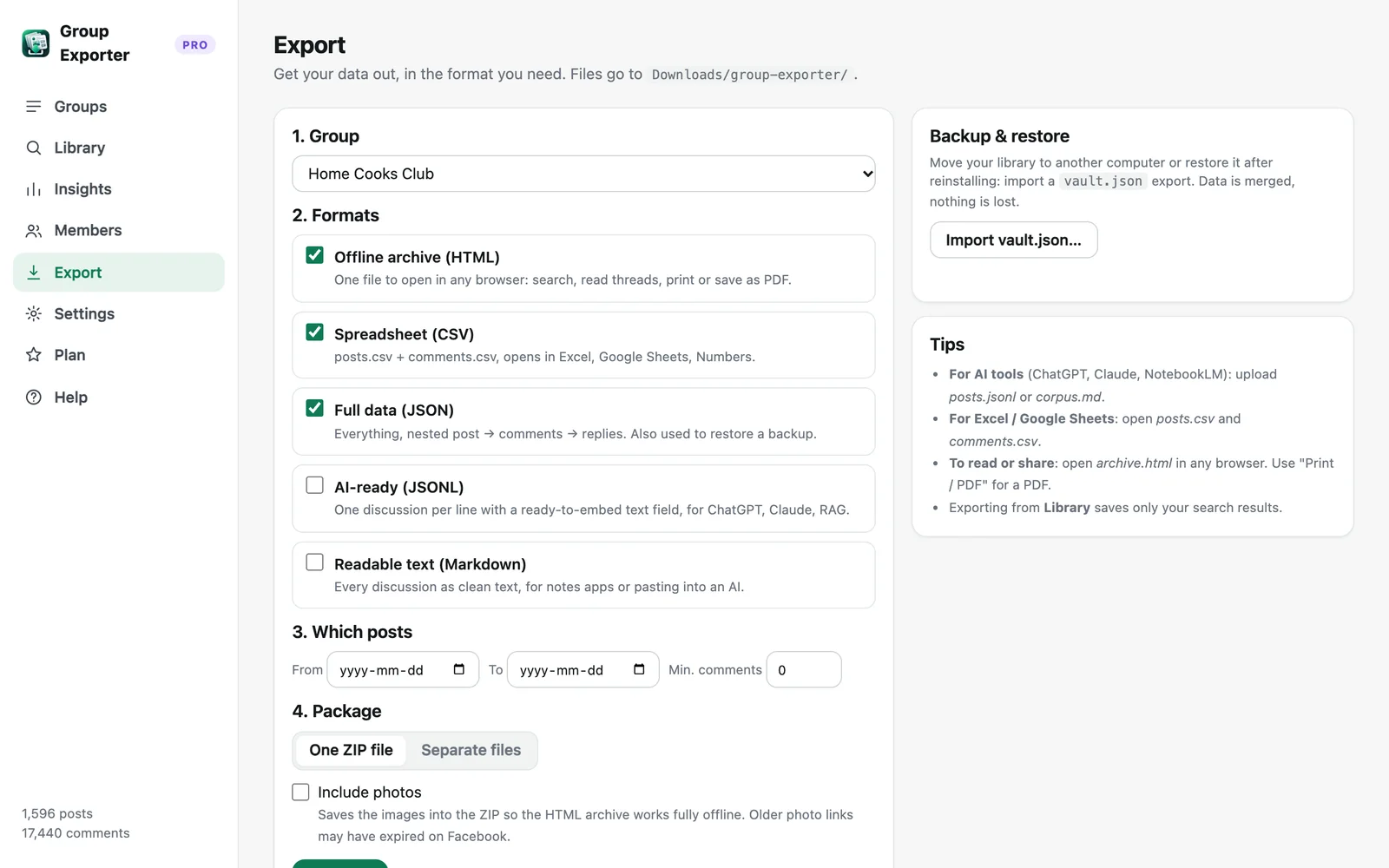
- Open Export. Open the Group Exporter for Facebook dashboard, go to Export and select the group.
- Choose CSV. Tick "Spreadsheet (CSV)". Optionally filter by date range or minimum number of comments.
- Open in Excel. Open posts.csv and comments.csv in Excel, Google Sheets or Numbers. They are UTF-8 encoded, so accents and emojis display correctly.
Columns in posts.csv
post_id, date, author, author_id, text, reactions, comments, shares, url, attachments, image_descriptions, shared_post_author, shared_post_text.
Columns in comments.csv
comment_id, post_id, reply_to_comment_id, depth, date, author, author_id, text, reactions, attachments, post_url. The post_id column links every comment to its post, so you can use a pivot table or VLOOKUP to join the two sheets.
Ideas for analysis
Sort posts by comment count to find the hottest discussions. Count posts per month to see activity trends. Filter comments by keyword to collect every answer to a recurring question. Group Exporter for Facebook's built-in Insights page does much of this for you: posts over time, top contributors and most-discussed topics.
Exporting only search results
In the Library, search for a keyword (for example "refund" or "shipping") and click "Export these results → CSV" to get a spreadsheet of just the matching discussions.
Więcej poradników
- How to export all comments and replies from a Facebook group
- How to get a Facebook group into Google Sheets
- How to download the photos from a Facebook group
- How to export a private Facebook group you're a member of
- Facebook group analytics without admin access
- How to export the members of a Facebook group
- How to analyze a Facebook group's activity, members and top posts
- Collecting Facebook group data for academic research