
 Group Exporter for Facebook · Chrome extension
Download any Facebook group, comments included
Group Exporter for Facebook saves every post, comment and reply from the groups you're in. Search them in a second, open them in Excel or hand them to ChatGPT. It all stays on your computer.
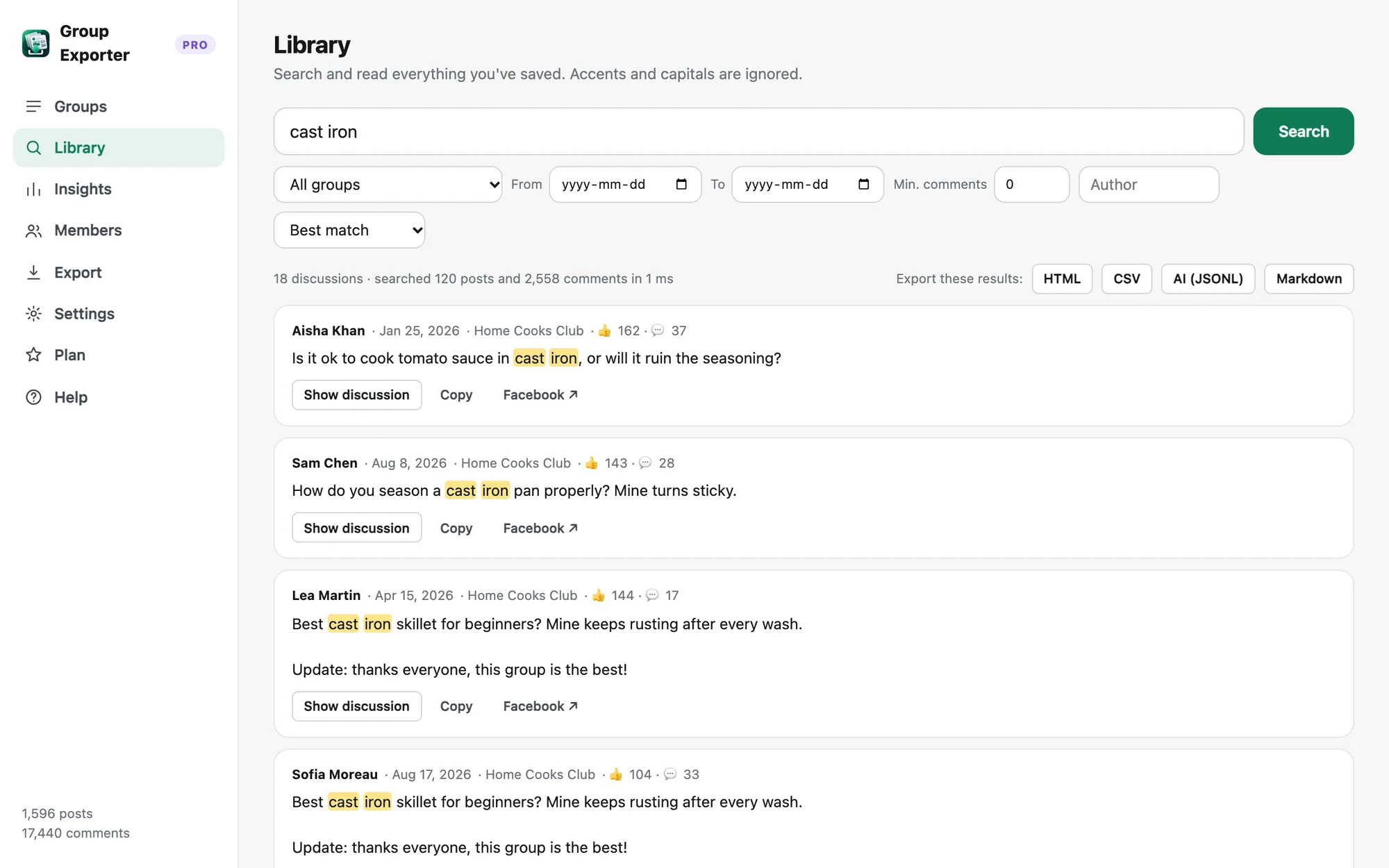
- Discussions found
- 18
- Comments searched
- 2,558
- Time
- 1 ms
From a Facebook group to an archive you can search
Nothing to copy by hand and no account to create. The extension works on the group page you already have open.
Add it to Chrome
Install Group Exporter for Facebook from the Chrome Web Store and pin it to your toolbar. There's nothing to sign up for.
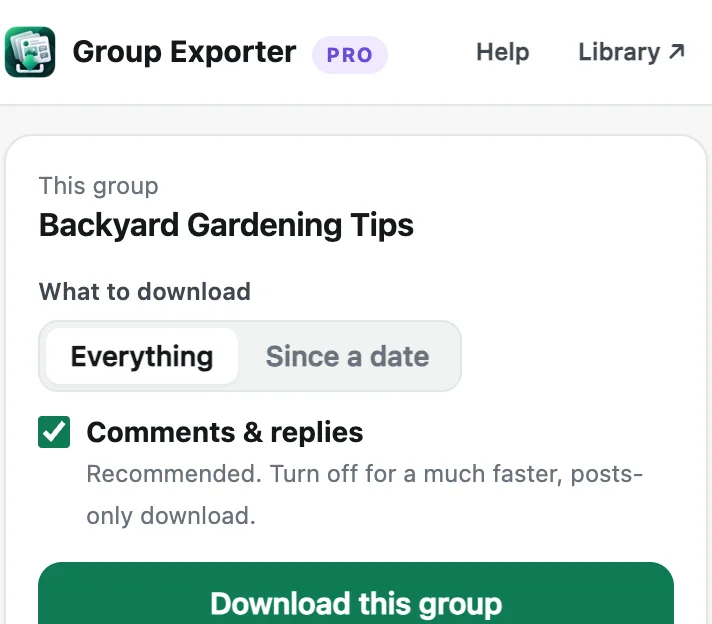
Open a group, click Download
Choose everything or only posts since a date. It runs in a background tab at a human pace, and you can pause anytime.
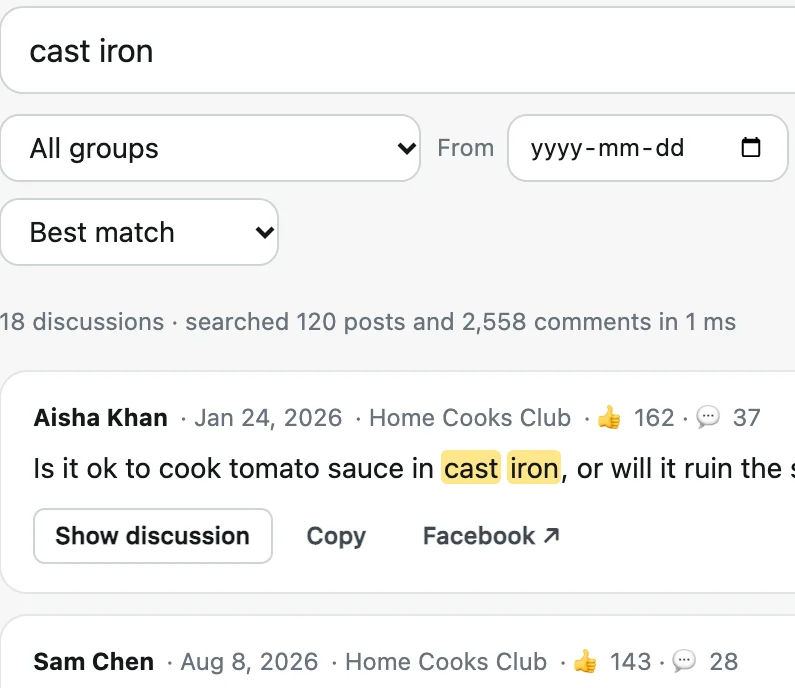
Search, read and export
Every post and comment lands in your Library. Search it, open whole threads, and export to Excel, PDF or JSON.
What you get from every group
Facebook shows a group one post at a time. Group Exporter for Facebook gives you all of it, in one place you can search.
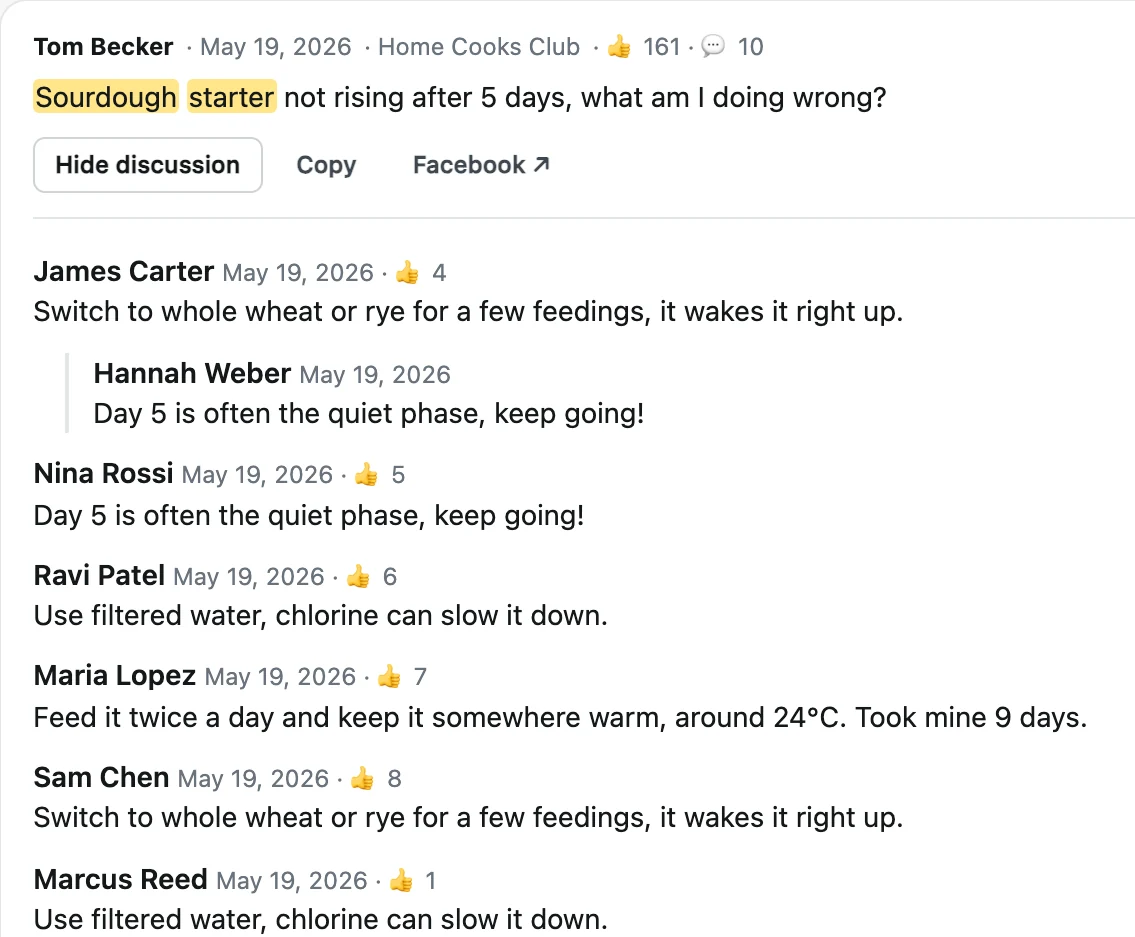
Whole conversations
Each post comes with all its comments and nested replies, with names and dates, so you can read a thread from start to finish.
Group insights
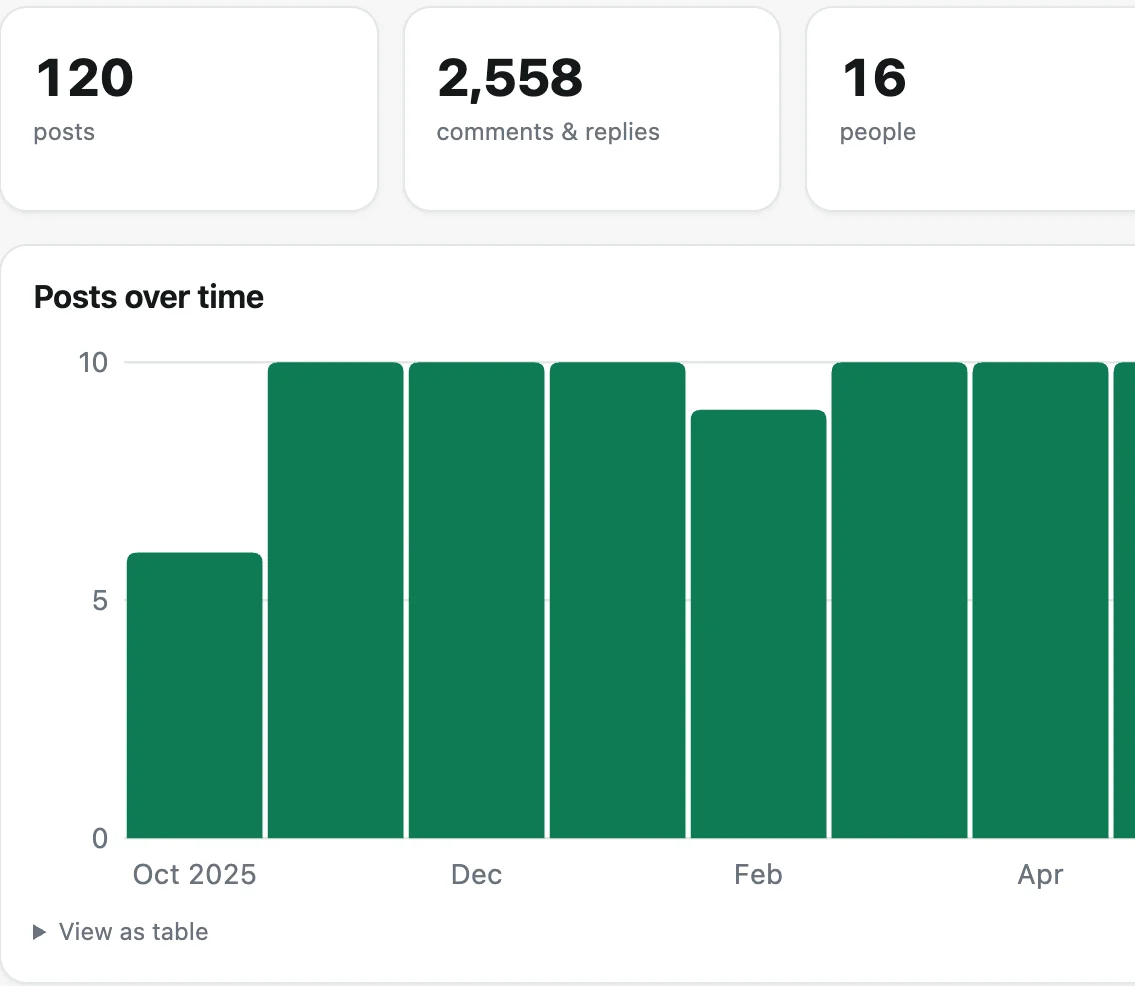
See when the group is most active, which posts got the most discussion and the words that come up most often.
An export for every use
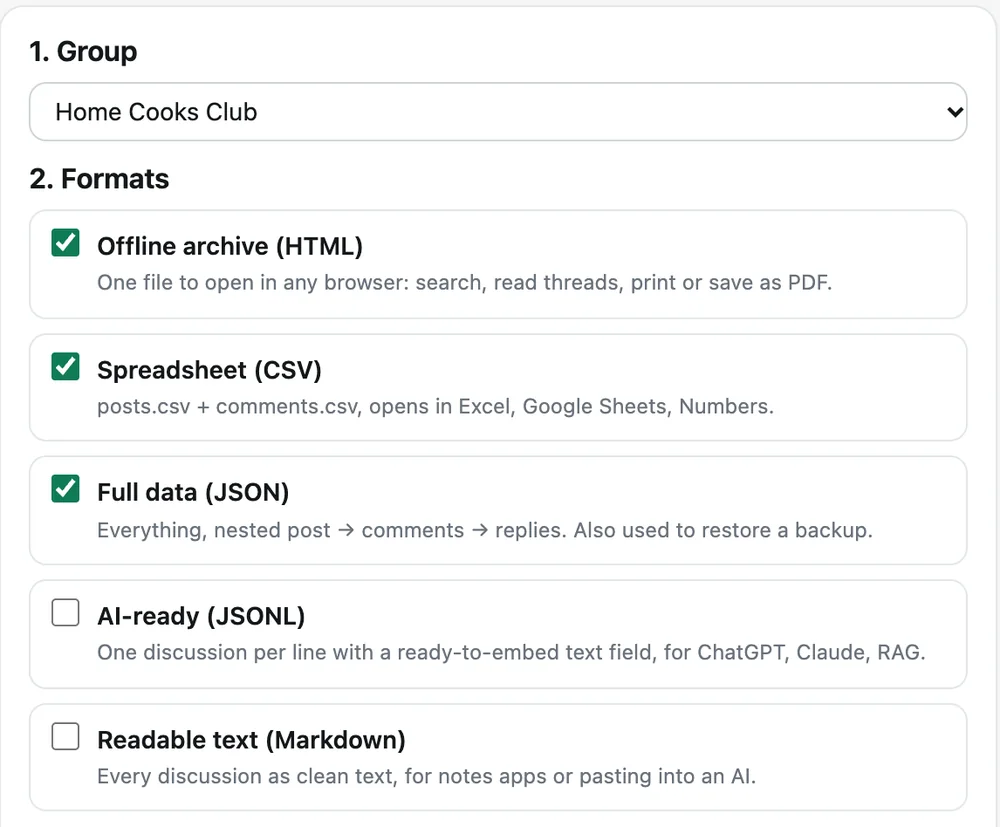
CSV for Excel and Google Sheets, an HTML archive you can print to PDF, JSON for backups and JSONL for AI tools.
Pause, resume, stay up to date
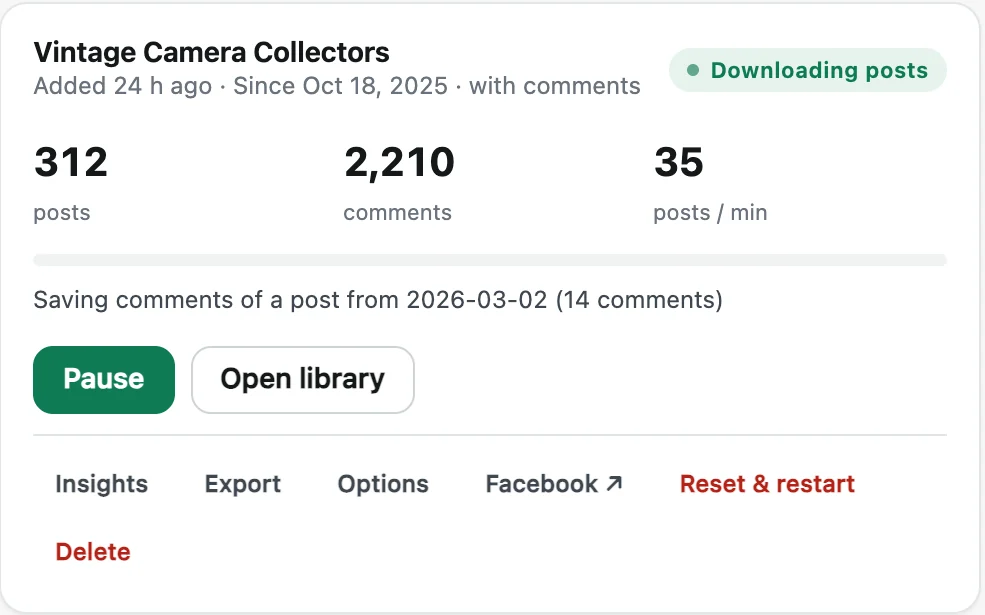
Big groups can take a few days. Progress is saved after every step, and Update fetches only what's new since last time.
Everything that's saved
Posts
- Full text, never cut off
- Author and profile link
- Date and time
- Reactions and comment count
- Links, shared posts and photo descriptions
Comments
- Every comment on every post
- Nested replies, in order
- Author, date and reactions
- Works in private groups you’re in
- Photos, if you want them
People
- Group members (Pro)
- Join dates and admin roles
- Event guests: going, interested, invited (Pro)
- Profile links and user IDs
- CSV for Excel and JSON
Exports
- Excel and Google Sheets (CSV)
- HTML archive you can print to PDF
- JSON backup you can restore
- AI-ready JSONL and Markdown
- One ZIP with everything
Members and event guest lists, in one spreadsheet
For admins and organisers who need their own lists: who is in the group, and who is coming to the event.
Group members export
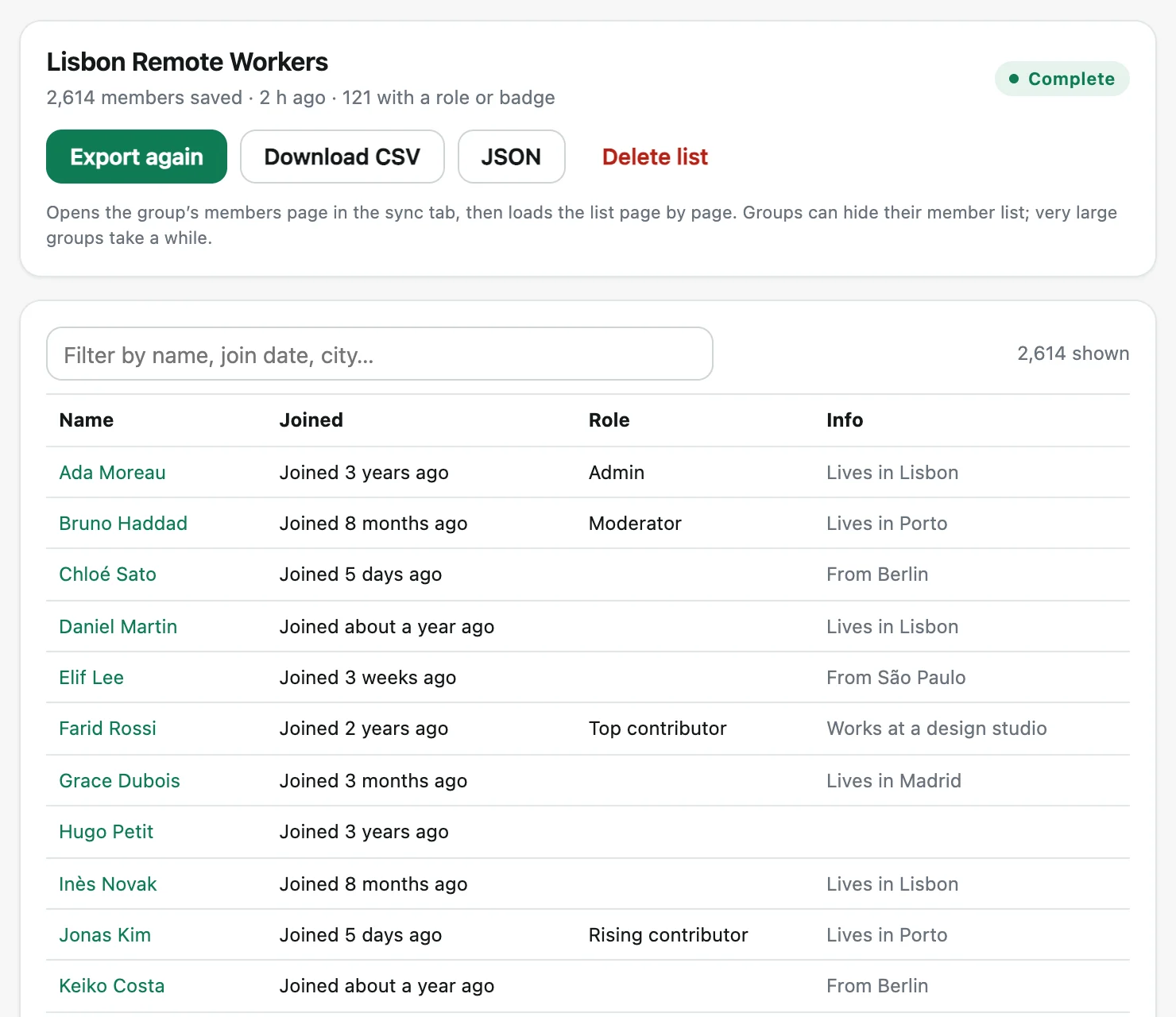
Every member of a group you're in, with profile link, join date, admin and moderator roles, and the details Facebook shows.
Event guest lists
For the events you organise: everyone who is going, interested or invited, with their profile link. One file, ready for check-in or a follow-up email.
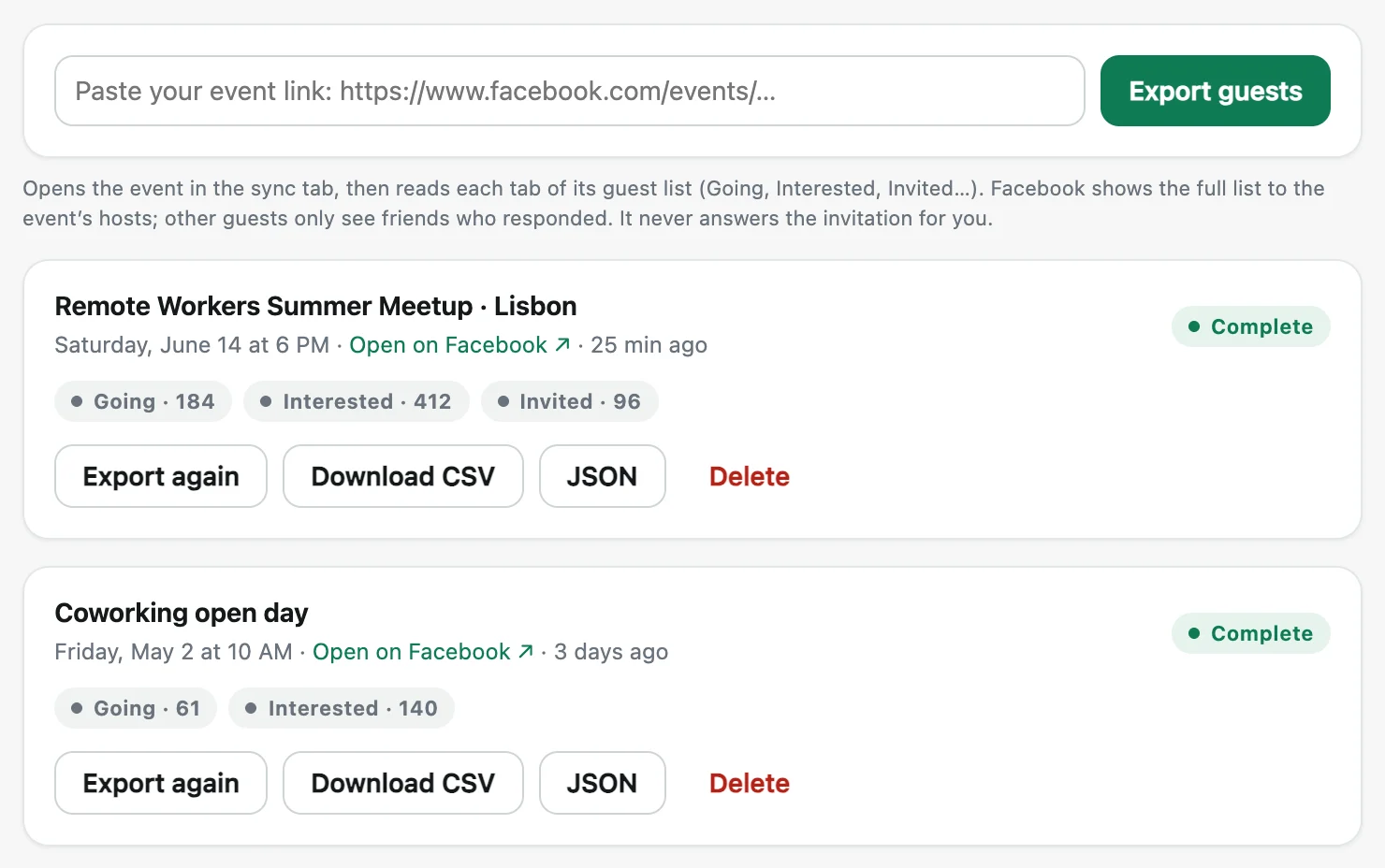
Facebook shows a full guest list only to the event's hosts, and a member list only to people in the group. The extension reads what your account can see; it never answers invitations or posts for you.
Made for people who learn from groups
Group admins
Keep a copy of years of answers before they get buried, or before the group disappears. Move them to a new platform if you need to.
Researchers
Collect discussions with exact dates and clean CSV files, ready for coding and analysis.
Founders and AI builders
Read the questions your customers really ask, or turn an expert group into a knowledge base for your assistant.
One price, paid once
Try it free. Upgrade when you need more.
No subscription · 14-day money-back guarantee
- Unlimited groups, posts and comments
- Every export: Excel/CSV, HTML & PDF, JSON, AI-ready JSONL, Markdown
- Photos saved into your ZIP exports
- Automatic daily updates
- Use it on one computer, move it whenever you like
- Extension updates and email support included
Secure payment with PayPal or card. Your license key arrives right away.
The free version saves 200 posts from one group, with their comments, and exports to CSV, JSON and Markdown.
How do I download all posts from a Facebook group?
Install Group Exporter for Facebook from the Chrome Web Store, open the group on Facebook while logged in, click the extension icon and choose "Download this group". It saves every post, comment and reply automatically, newest to oldest. You can pause, close Chrome and resume later. It continues exactly where it stopped.
Can I export Facebook group posts and comments to Excel?
Yes. Export to CSV and open it in Excel, Google Sheets or Numbers: one file for posts (author, date, text, reactions, comment count, link) and one for comments and replies (with the post they belong to).
Does it work with private groups?
It works with any group you can see when you are logged in, including private groups you are a member of. It cannot access groups you are not a member of.
What's included in the free version?
The free version downloads up to 200 posts from one group, with all their comments and replies, and lets you search and export them to CSV, JSON and Markdown. It's the full product, so you can see exactly what you get before you buy.
Is it a subscription?
No. Group Exporter for Facebook Pro is a one-time payment of $24.90, paid securely with PayPal or a card. You get unlimited groups and posts, every export format and automatic daily updates, with free updates to the extension.
Is my data private?
Yes. Everything you download is stored only on your computer, inside the extension. We never see your posts, your groups or your Facebook account. The only thing our server sees is your license key, to confirm your purchase.
Other tools you might like
 Giveaway PickerPick giveaway winners from Instagram, TikTok, YouTube & Facebook comments, with proof anyone can verify.
 Thread Exporter for RedditExport whole Reddit threads and subreddits, every comment included, ready for Excel or AI.
 Unfollowers TrackerSee who doesn’t follow you back on Instagram, who unfollowed you, and clean up safely.
 Follower ExporterExport the followers or following of any public Instagram account to Excel, CSV or JSON.
Your group's knowledge, saved for good
Try it free on 200 posts. Then $24.90 once, for every group you're in.