
 Unfollowers Tracker · Chrome extension for Instagram
See who doesn’t follow you back on Instagram
One click shows everyone you follow who doesn’t follow you, and who unfollowed you since last time. Keep your friends in a whitelist, then clean up the rest at a safe pace. No password, no app to install on your phone.
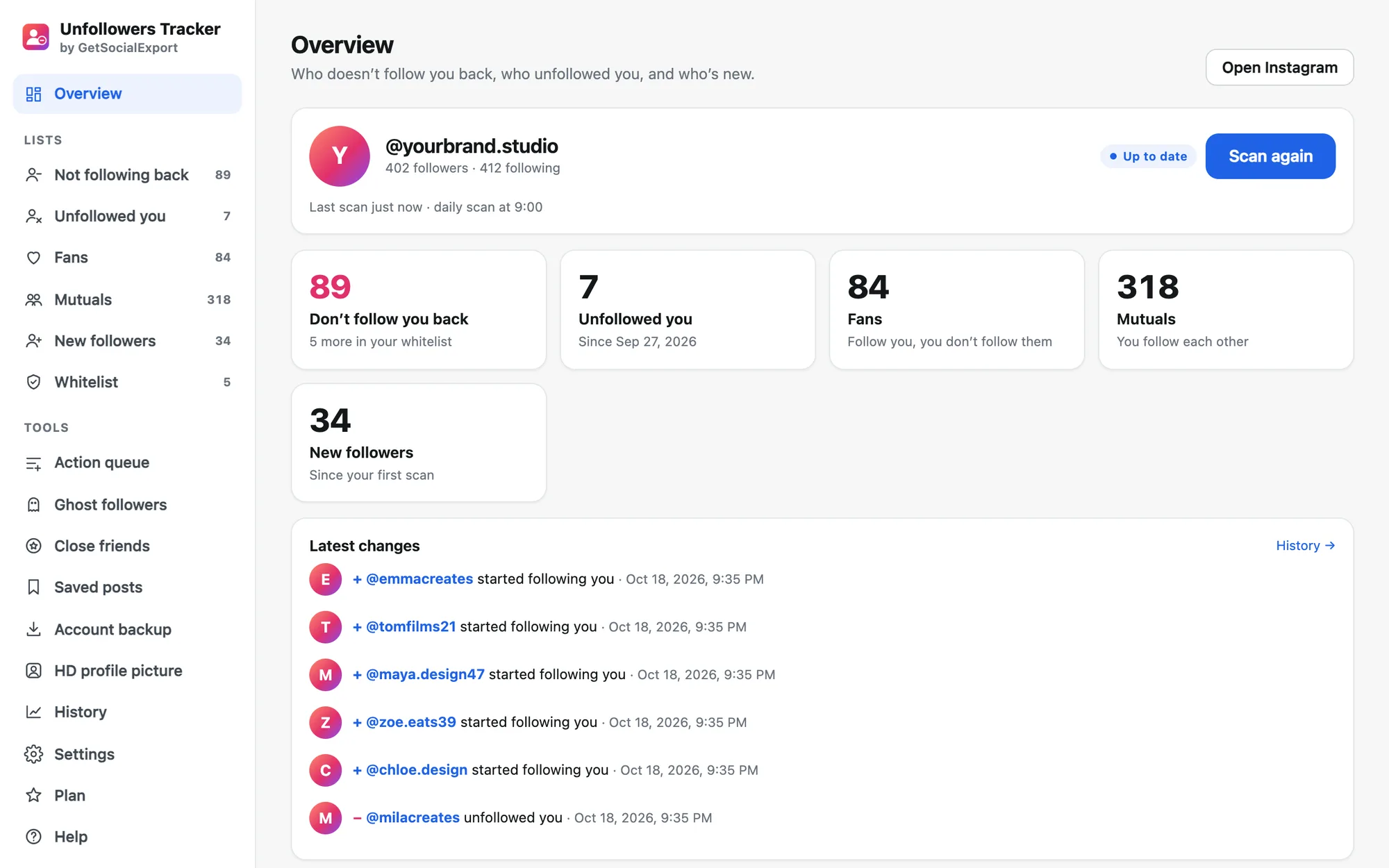
- Unfollowed you
- 7
- Scan time
- ~1 min
- Data sent to us
- none
Know in a minute, clean up in the background
The extension reads the same lists you see when you open “Followers” and “Following”, then does the comparison you’d never do by hand.
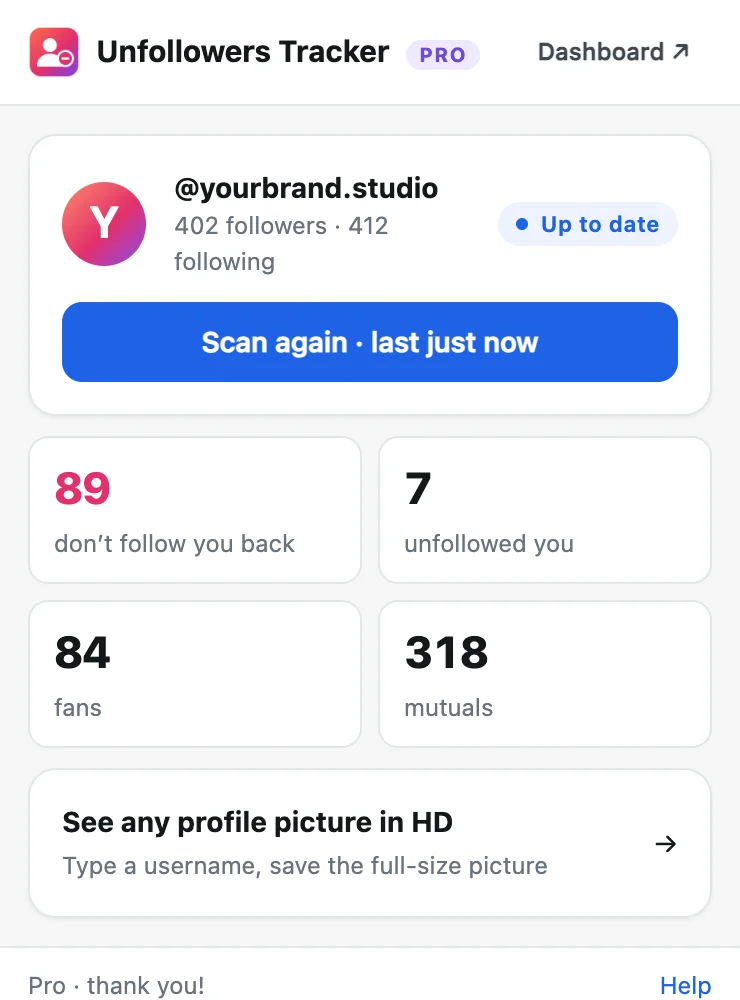
Scan
Log in to instagram.com in Chrome and click Scan my account. Your followers and following are read at a human pace.
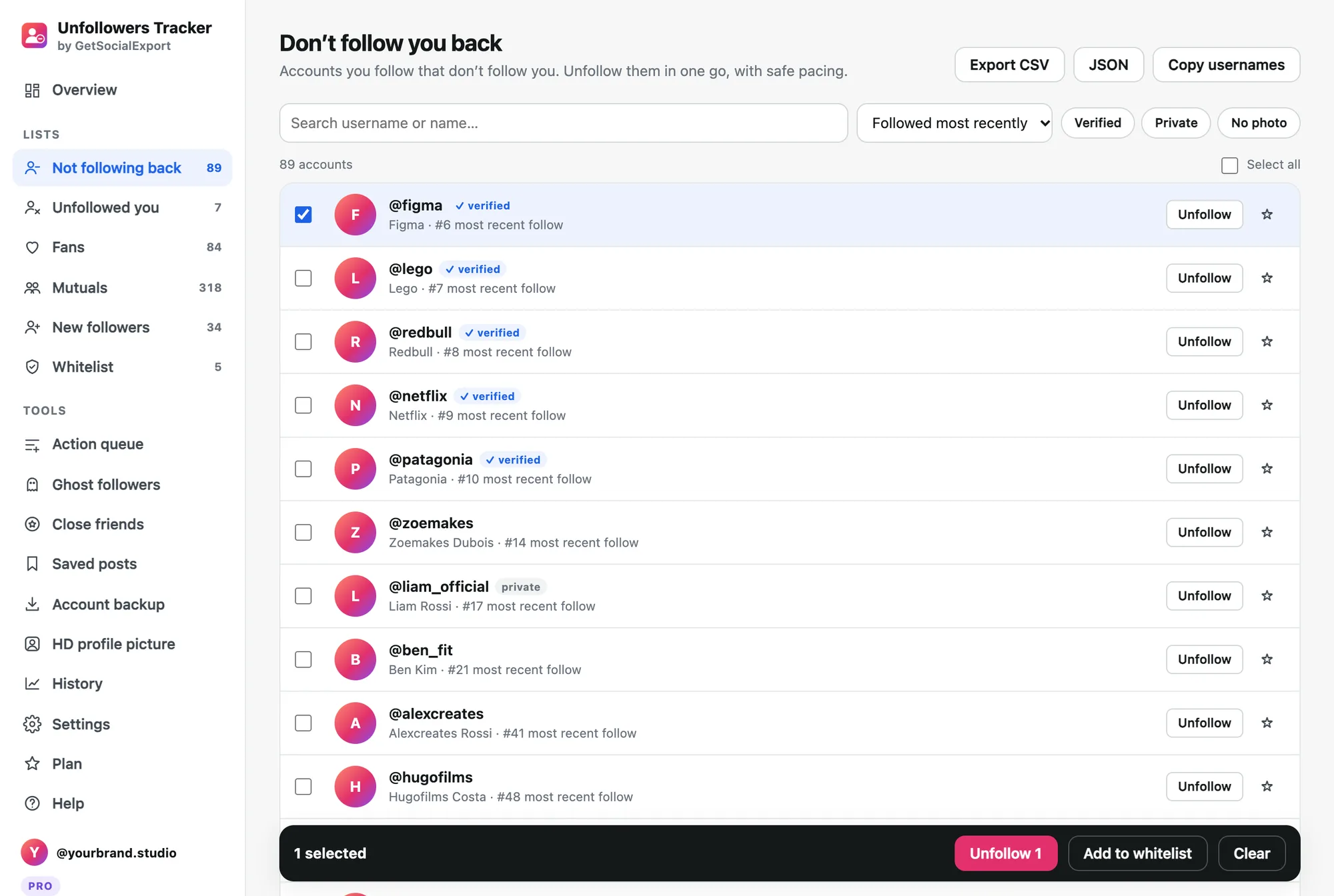
Review
Filter verified, private or no-photo accounts, sort by follow date, and star the ones to keep.
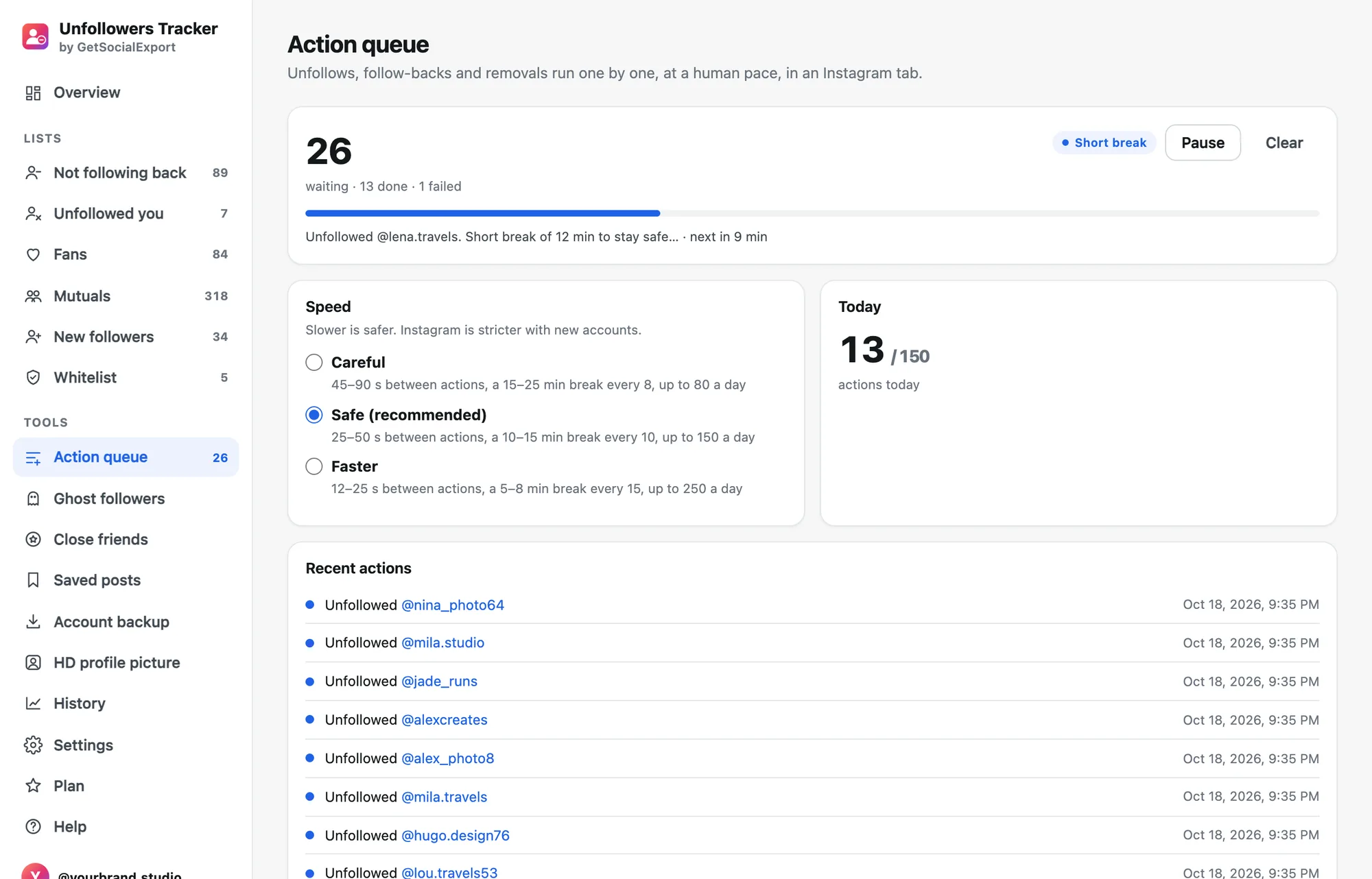
Clean up safely
Select and unfollow. The queue works one account at a time with random pauses, breaks and a daily cap.
Every list you were looking for
Don’t follow you back
Everyone you follow who doesn’t follow you, most recent follows first.
Unfollowed you
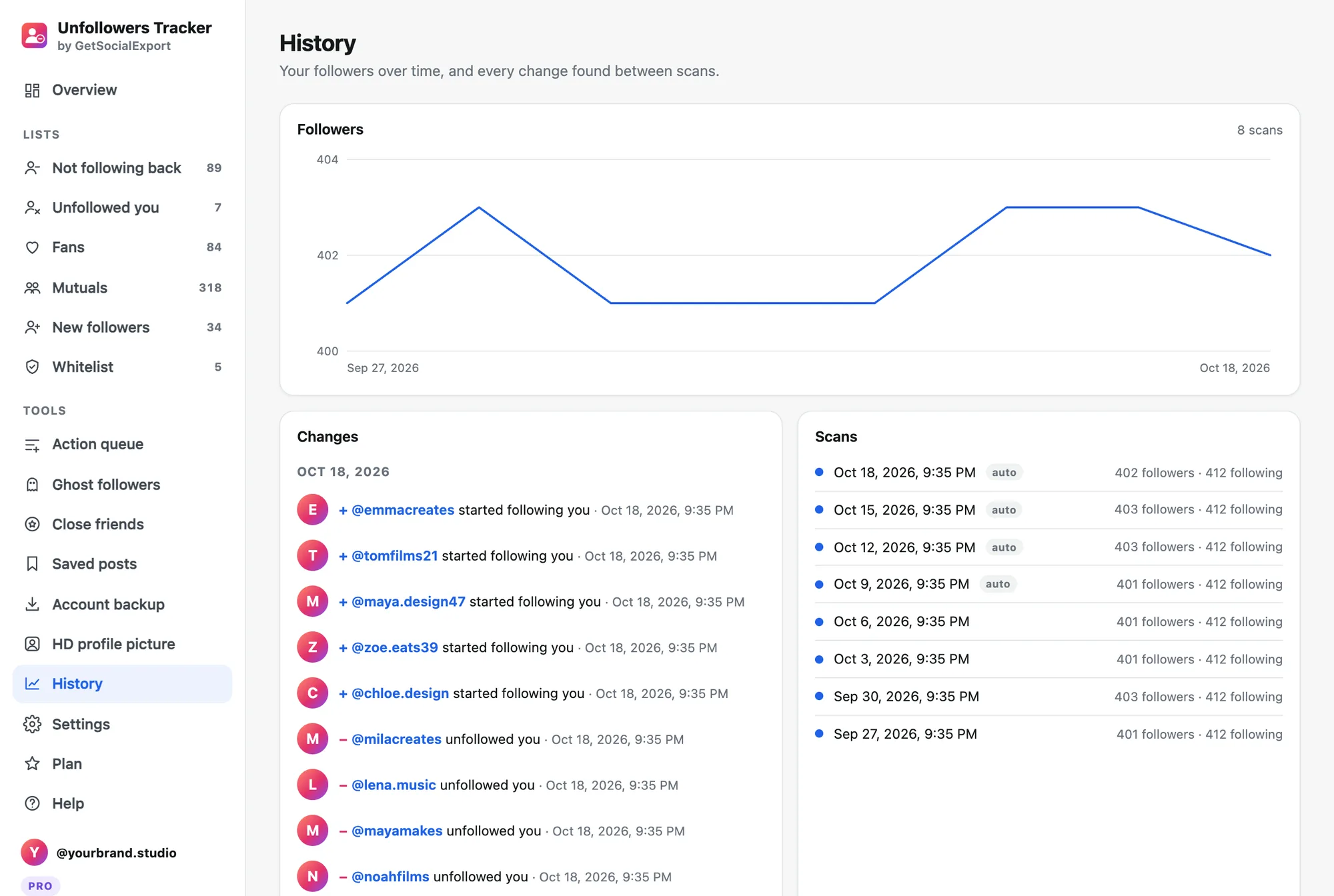
Who left since your last scan, with the date. Even the quiet ones.
Fans
People who follow you that you don’t follow back. Follow back in one click.
Mutuals
Accounts you follow each other with.
New followers
Who started following you, scan after scan.
Whitelist
Friends and brands you keep, never unfollowed by mistake.
Everything Instagram doesn’t let you do
Ghost followers, close friends in bulk, saved posts search, a full backup and HD profile pictures. Same extension, same safe pace, your own account only.
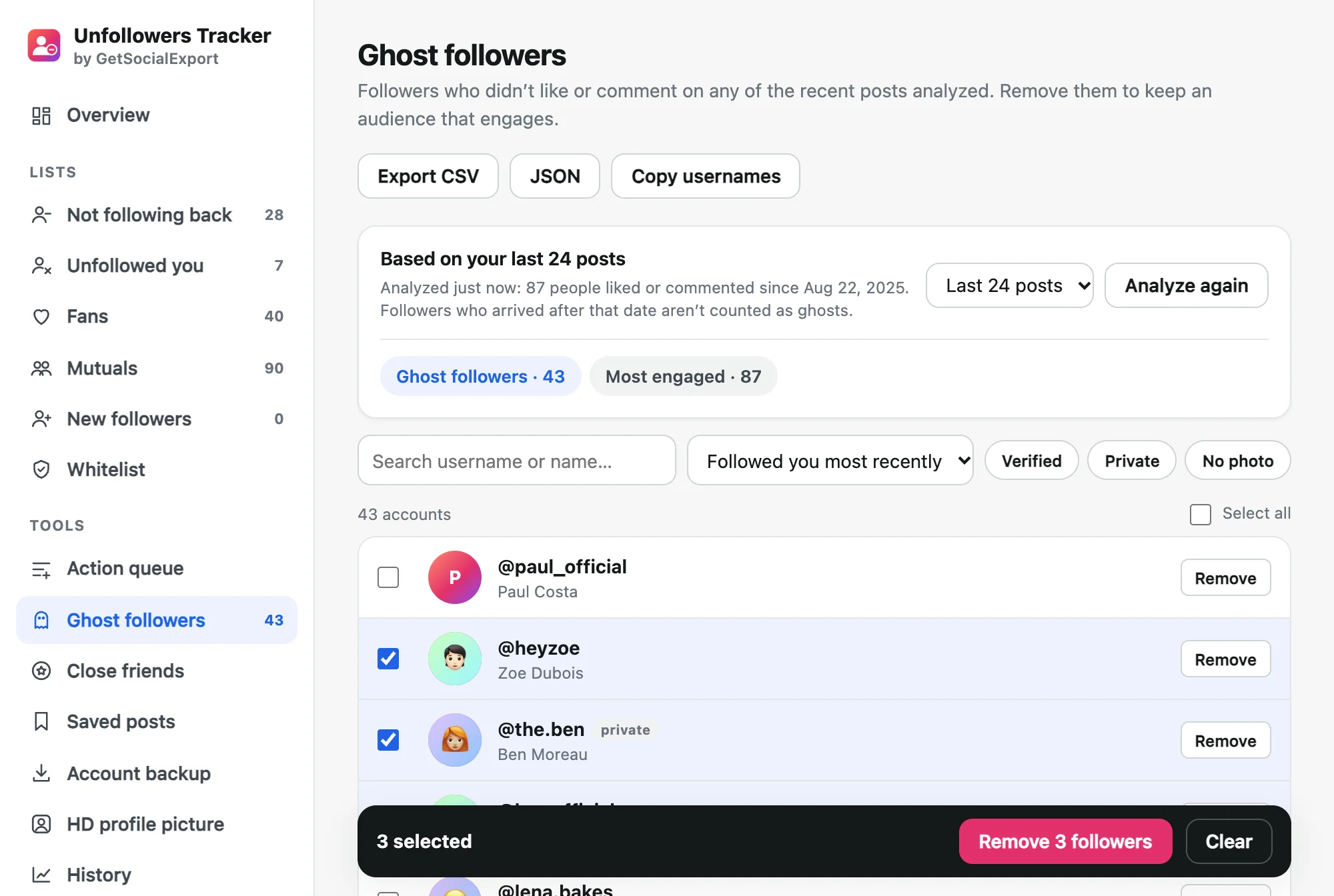
Find the followers who never engage
Ghost followers drag your reach down. The extension reads who liked and commented on your recent posts, then lists the followers who never did. Remove them in one go, and see your most engaged fans.
- Based on your last 6 to 50 posts
- New followers are never counted as ghosts
- Remove followers at a safe pace
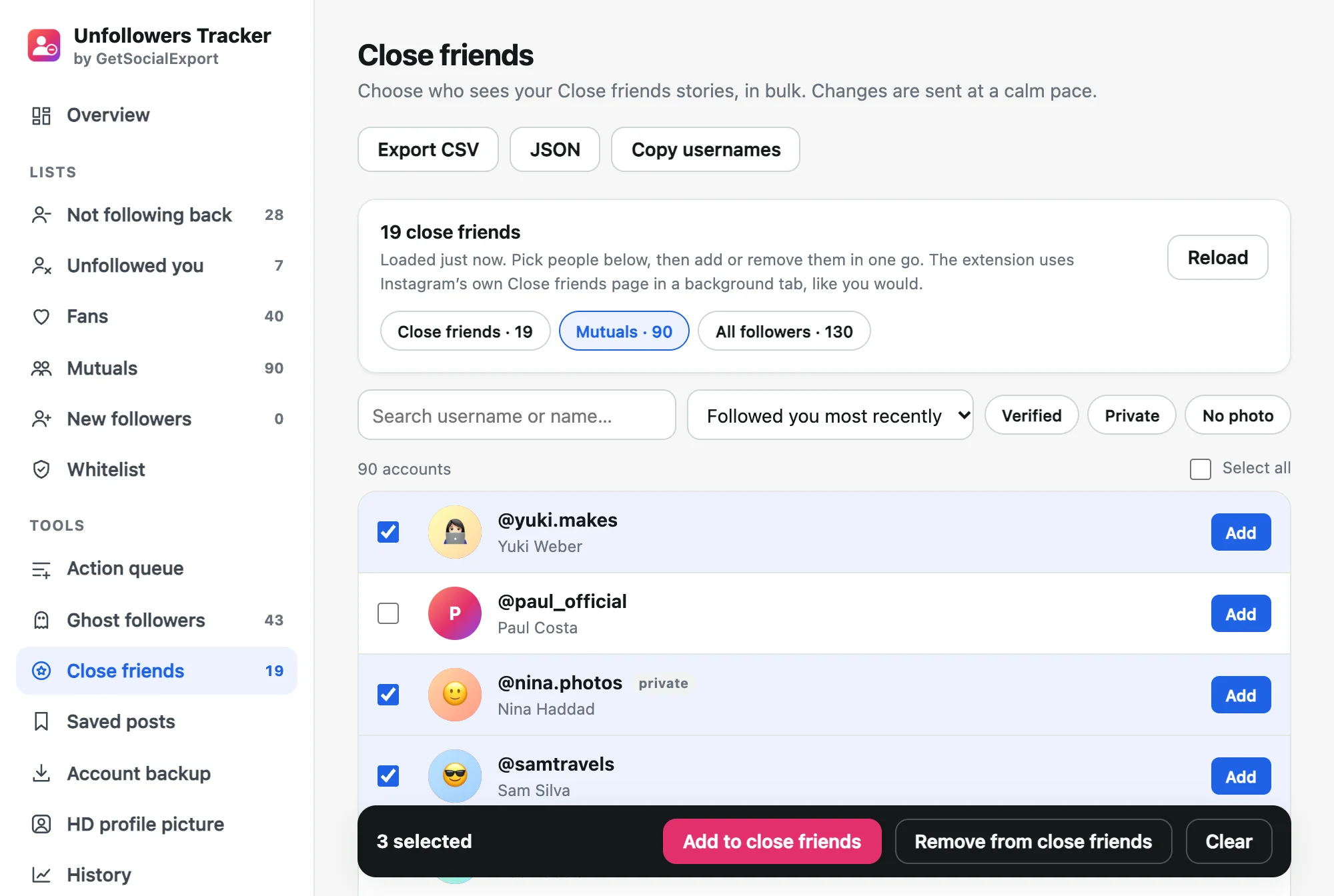
Close friends in bulk, not one by one
Pick from your mutuals or all your followers, filter, select, done. The extension updates your Close friends list for you, calmly, and nobody is notified.
- Add or remove dozens at once
- Search and filter your followers
- Uses Instagram’s own Close friends page
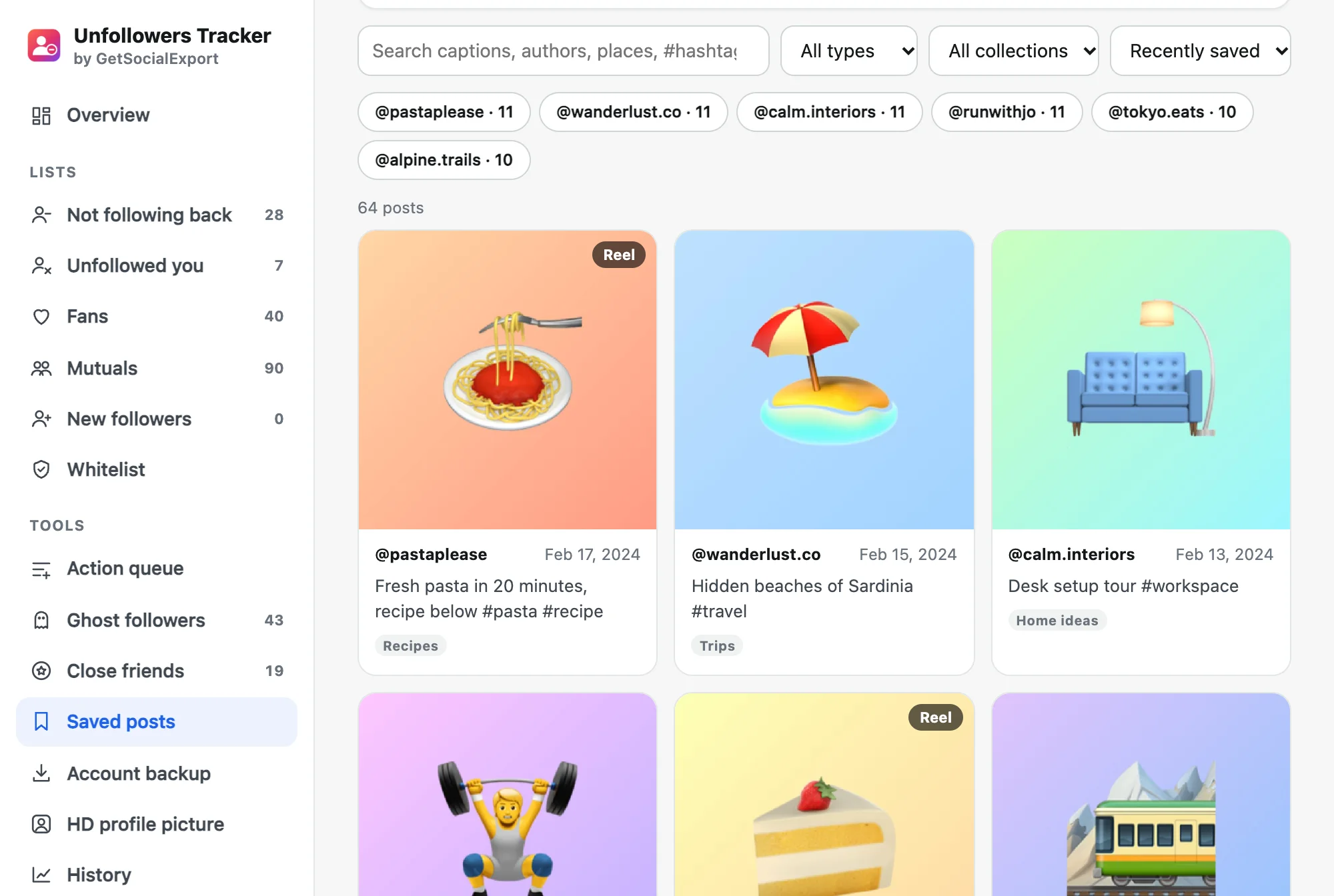
Finally find that post you saved
Instagram has no search for saved posts. Sync them once and search everything: captions, authors, places, hashtags and collections. Export the list to Excel.
- Filter by collection, type or author
- Recipes, trips, ideas: all searchable
- CSV and JSON export
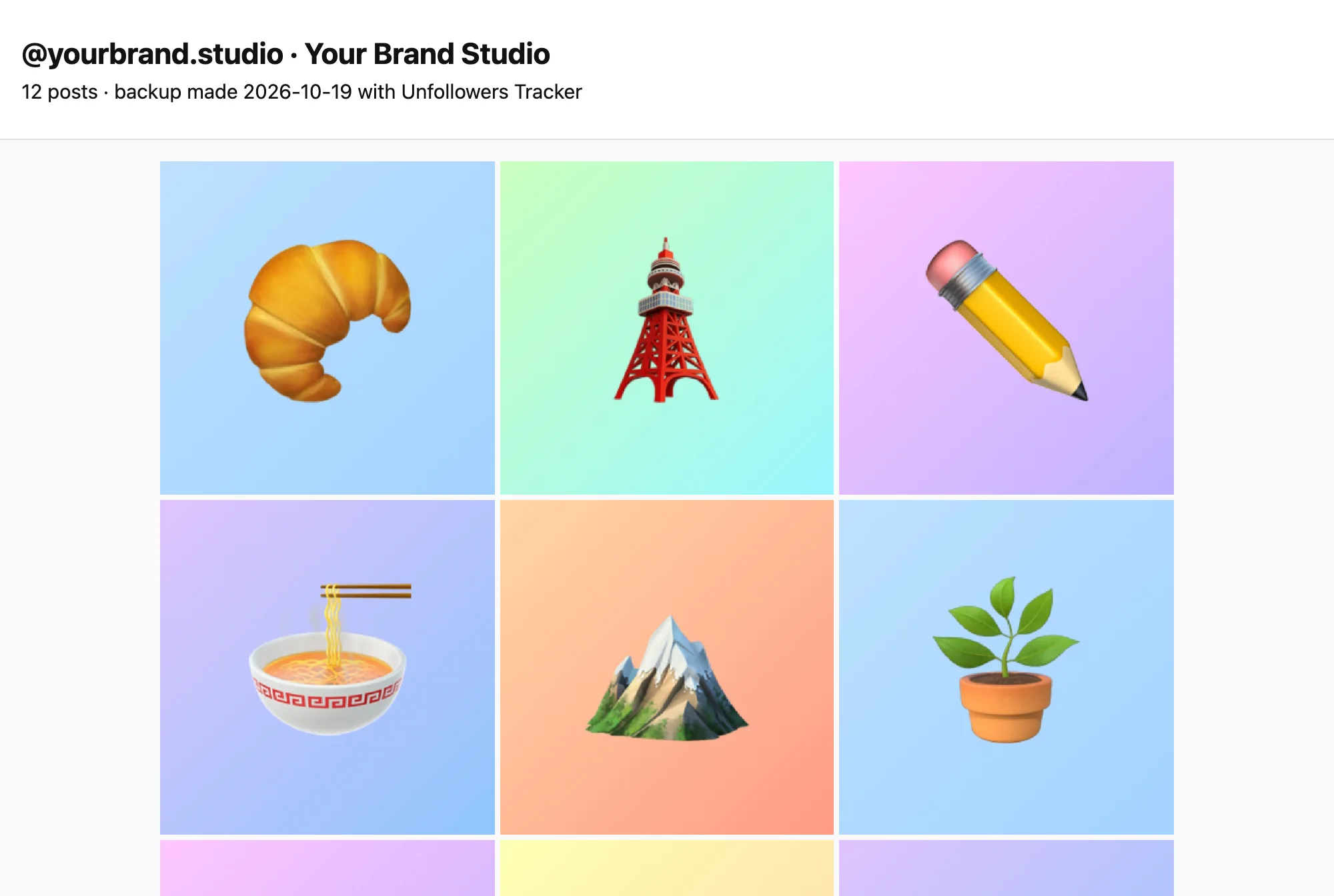
Your whole Instagram, saved on your computer
Posts, captions, comments and saved posts in one ZIP, with every photo and video. Open index.html and browse your account offline, or open posts.csv in Excel.
- Photos and videos in full size
- Comments and saved posts included
- Faster than Instagram’s data download
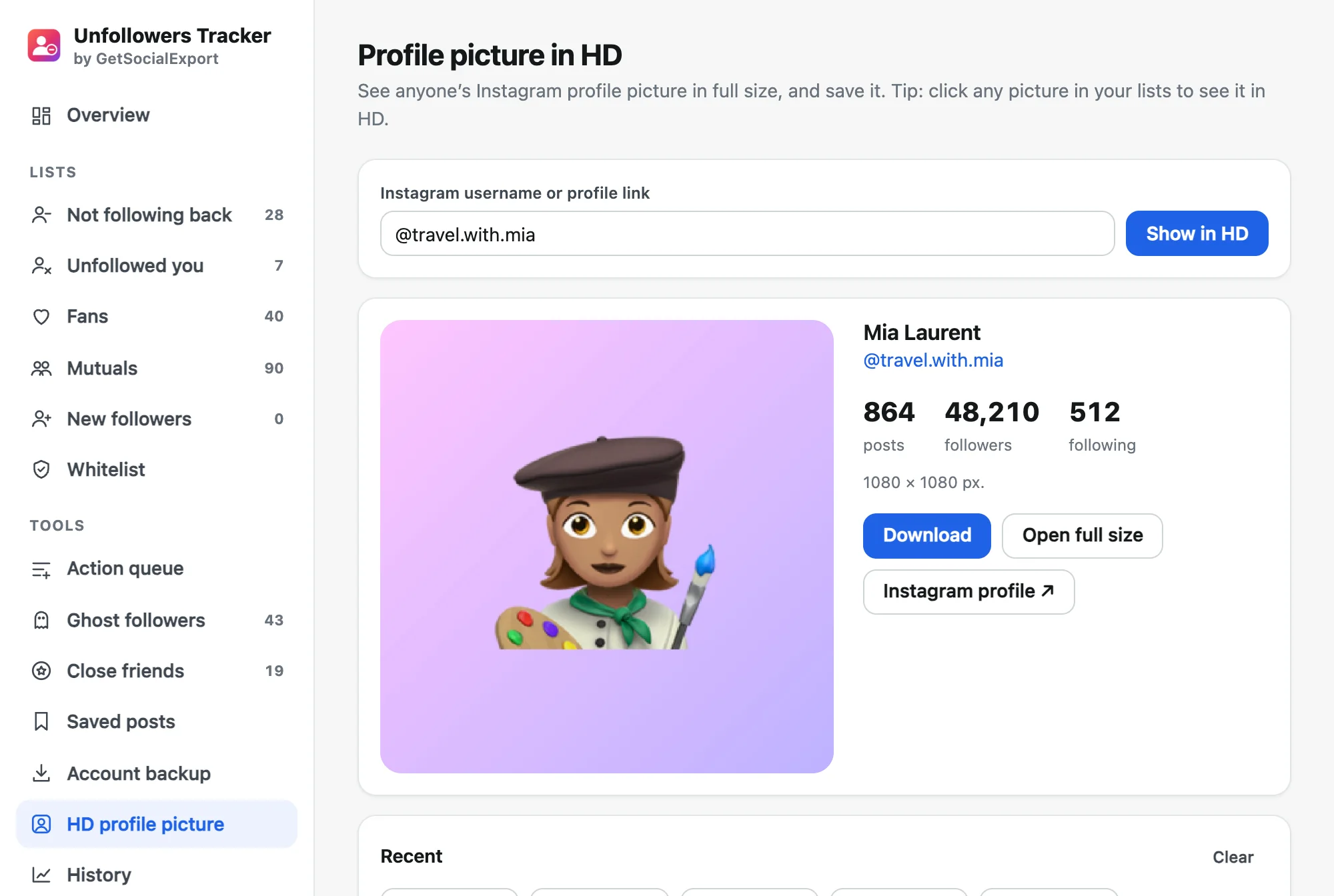
See any profile picture in full size
Instagram only shows profile pictures as a tiny circle. Type a username and get the full-size picture, ready to save. In your lists, click any picture to see it in HD.
- Any account, public or private
- Full size, up to 1080 × 1080 px
- Free, one-click download
Built to protect your account
Instagram limits how fast you can unfollow. Unfollowers Tracker stays well below: 25–50 seconds between actions, a 10–15 minute break every 10, and 150 a day at most on the Safe speed. If Instagram ever shows “Try again later”, the queue stops on its own.
- No password: works in your logged-in tab
- Whitelist so friends are never touched
- Everything stays on your computer
Scan free. Unlock everything once.
No subscription, unlike most unfollower apps.
No subscription · 14-day money-back guarantee
- Full lists: everyone who doesn’t follow you back
- Who unfollowed you, with dates, scan after scan
- Safe bulk unfollow, follow back and remove followers
- Ghost followers over your last 50 posts, close friends in bulk
- Every saved post, searchable, and a full account backup with comments
- CSV & JSON exports, history chart, daily auto-scan
- Extension updates and email support included
Secure payment with PayPal or card. Your license key arrives right away.
The free version scans your account and shows the first 30 people of each list, with 10 actions a day. It also finds ghost followers on your last 12 posts, backs up your latest 30 posts, syncs 100 saved posts and shows any profile picture in HD.
Common questions
Something else? Write to support@getsocialexport.com. Guide: who unfollowed me on Instagram.
How do I see who doesn’t follow me back on Instagram?
Install Unfollowers Tracker, log in to instagram.com in Chrome and click “Scan my account”. A minute or two later you get the list of accounts you follow that don’t follow you back, plus your fans and mutuals.
How do I find out who unfollowed me?
Each scan is saved on your computer. From your second scan, the extension compares them and lists who stopped following you, with the date. With Pro, a daily automatic scan notifies you.
Do I have to give my Instagram password?
No. The extension works inside your logged-in Instagram tab, like you would. Nothing is sent to us: your lists stay in your browser.
Is mass unfollowing safe?
Instagram limits how many accounts you can unfollow. The queue unfollows one account at a time with random pauses, breaks and a daily cap (Safe speed: up to 150 a day), and stops immediately if Instagram shows “Try again later”. Slower is safer, especially for new accounts.
What is the whitelist?
Accounts you want to keep following even if they don’t follow you back: friends, brands, artists. They are hidden from the list and never unfollowed by mistake. Import or paste usernames in seconds.
How do I find ghost followers on Instagram?
Open “Ghost followers” in the extension and click Analyze. It reads who liked and commented on your recent posts (12 in the free version, up to 50 with Pro) and lists the followers who never did, so you can remove them in one go. People who followed you after those posts are left out.
Can I back up my Instagram account?
Yes. “Account backup” saves your posts, captions, dates, likes, comments (Pro) and saved posts in a ZIP with your photos and videos, plus an index.html that opens offline and CSV files for Excel. The free version backs up your latest 30 posts.
Can I see someone’s Instagram profile picture in HD?
Yes. Open “HD profile picture” in the extension, type a username or paste a profile link, and you get the full-size picture (up to 1080 × 1080 px), public or private account, with a download button. In your lists, click any picture to see it in HD. It’s included in the free version.
Is it free?
Scanning is free and shows the first 30 people of each list, with 10 actions a day. Pro ($14.90 once) shows everything, who unfollowed you, history, exports and the daily scan.
Other tools you might like
 Group Exporter for FacebookDownload every post, comment and reply from your Facebook groups.
 Giveaway PickerPick giveaway winners from Instagram, TikTok, YouTube & Facebook comments, with proof anyone can verify.
 Thread Exporter for RedditExport whole Reddit threads and subreddits, every comment included, ready for Excel or AI.
 Follower ExporterExport the followers or following of any public Instagram account to Excel, CSV or JSON.
Find out who doesn’t follow you back
The scan is free. $14.90 once for full lists, history and safe bulk actions.
GetSocialExport is not affiliated with Instagram or Meta. Mass following and unfollowing can break Instagram’s rules: keep the safe speed and respect its limits.