
 Follower Exporter · Chrome extension for Instagram
Export Instagram followers to Excel
The followers or following list of any public Instagram account, in a clean spreadsheet. Add bios, websites and follower counts, filter the accounts you want, and compare two lists. No password, no coding.
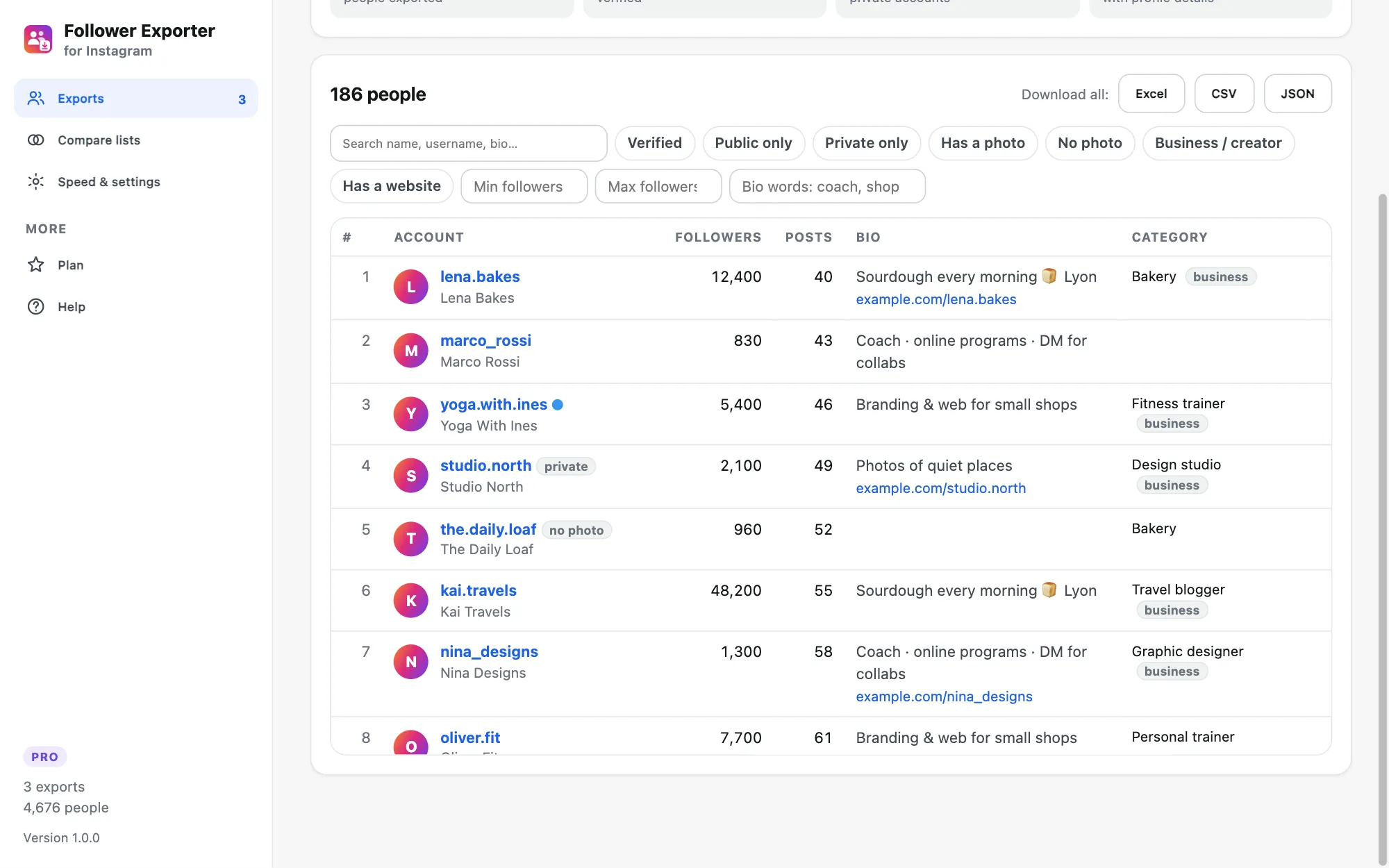
- Columns
- 16
- Formats
- Excel · CSV · JSON
- Data sent to us
- none
Open a profile, click, download
The extension reads the same list you see when you tap “Followers” on a profile, page after page, from your own logged-in browser.
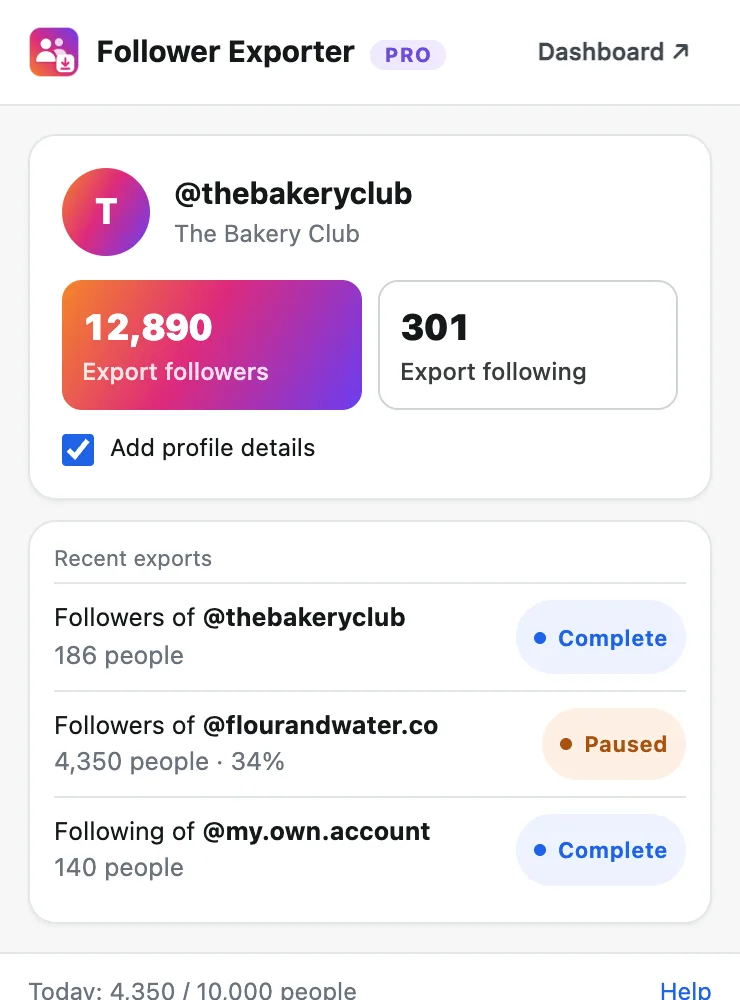
Pick an account
Open any public profile on instagram.com and click the extension icon, or type a username in the dashboard.
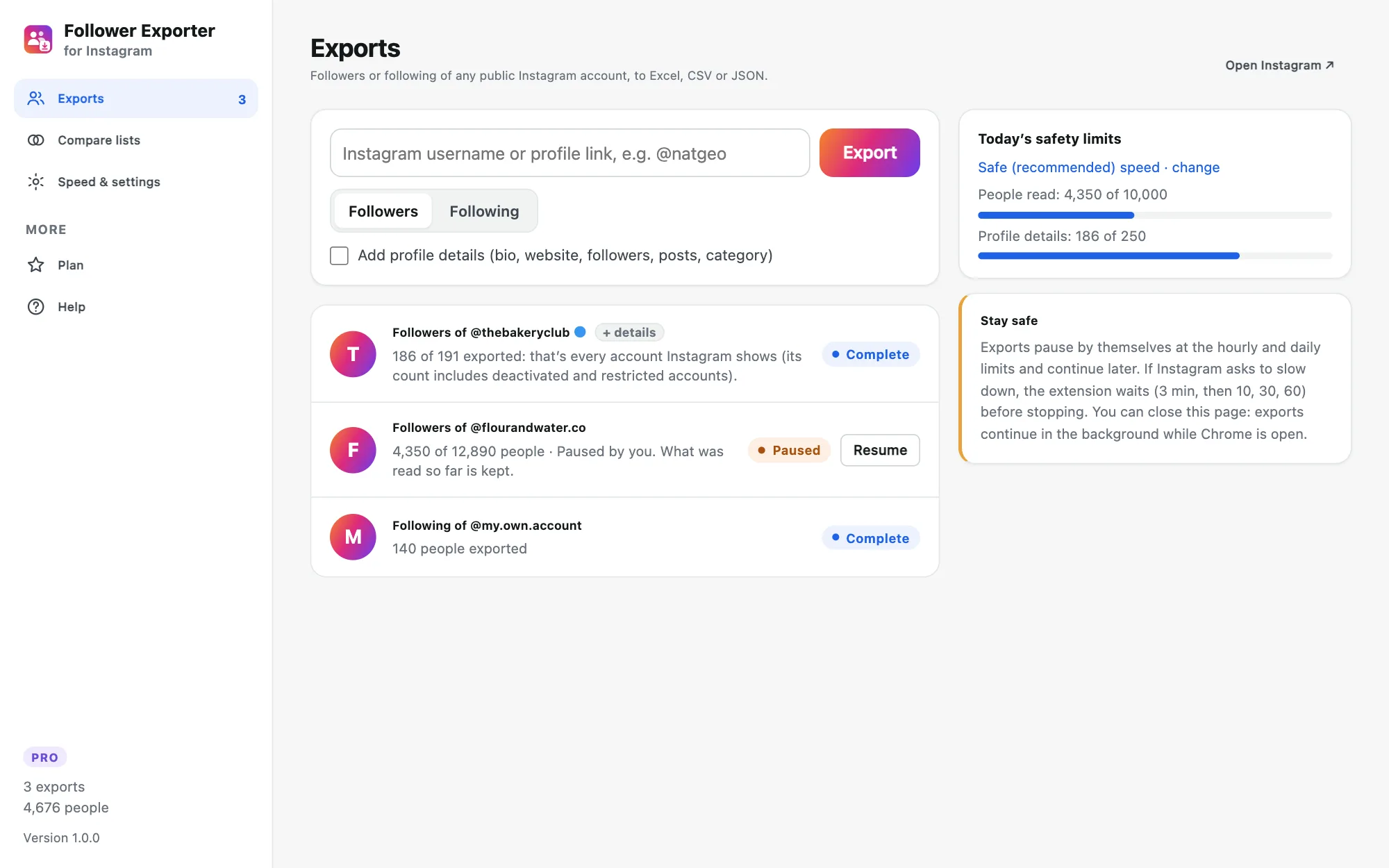
Let it read
Followers or following are read at a human pace in the background. Add profile details if you need bios and counts.
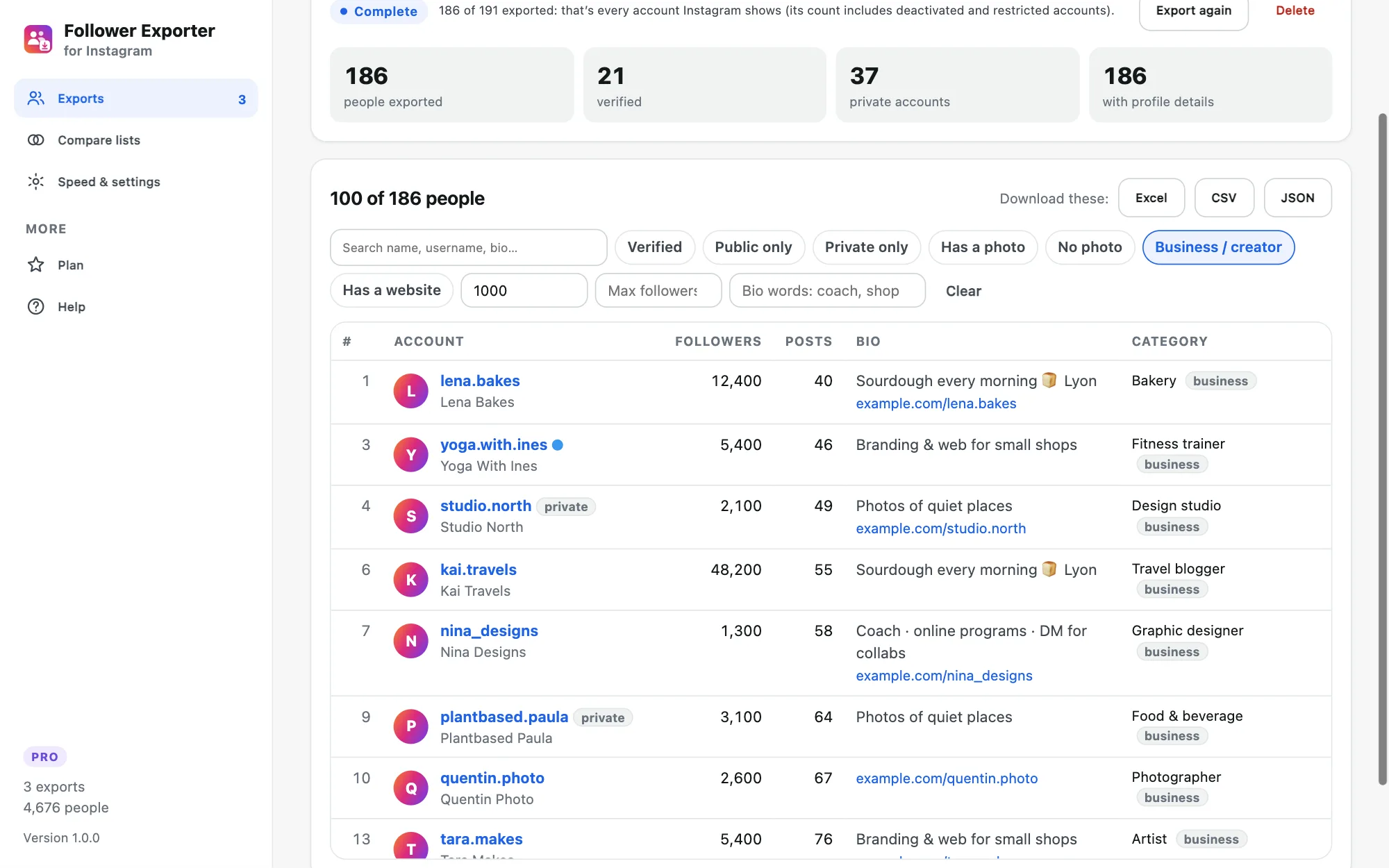
Filter and download
Keep the accounts you want and download an Excel file with filters and a frozen header, a CSV or JSON.
Up to 16 columns per account
Every account
Username, full name, profile link and user ID, in Instagram’s order.
Account flags
Verified, private, and whether the account has a profile photo.
Profile details (Pro)
Bio, website link, followers, following and number of posts.
Business info (Pro)
Category and whether it’s a business or creator account.
Keep only the accounts you need
Search names and bios, keep verified, public or business accounts, set a follower range or bio keywords. Download exactly what you see, or the whole list.
- Follower range, e.g. 1,000 to 50,000
- Bio keywords: “coach, shop, Lyon”
- Public only, verified, has a website…
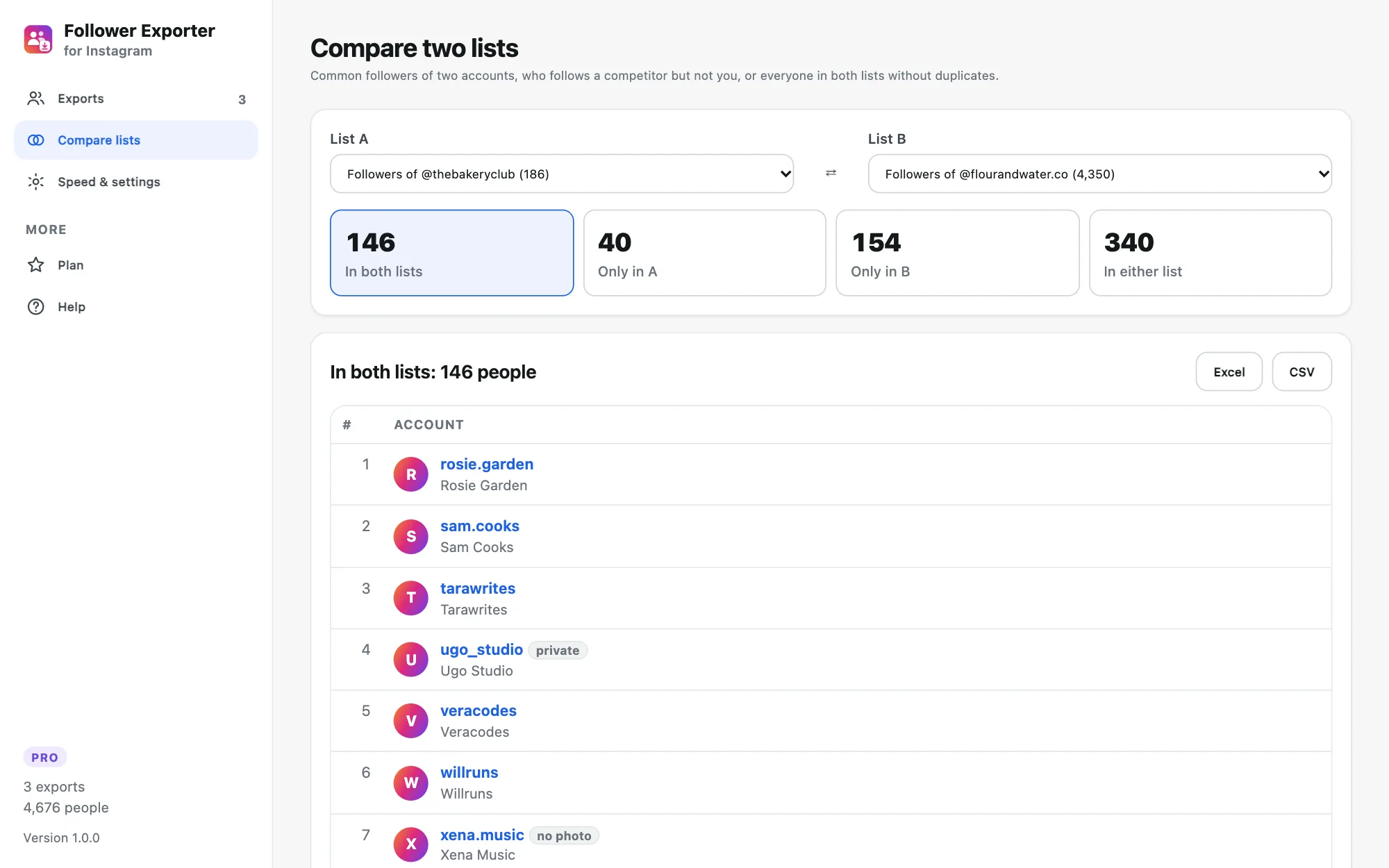
Common followers, and who you’re missing
Pick two exports and see who follows both accounts, only one, or either. Great to find a competitor’s audience that doesn’t know you yet, or the overlap between two partners.
- In both, only in A, only in B, either
- Works with followers and following lists
- Download each group to Excel (Pro)
Big lists, in the background
Start several exports and close the page: they run one after the other at a safe pace, pause at the hourly and daily limits, and continue by themselves. Resume anytime, nothing is lost.
- Queue several accounts
- Live progress on the extension icon
- Excel, CSV and JSON whenever you want
A list of people is where the work starts
Influencer research
List the followers of a niche account, keep those with 5k–50k followers and a bio that matches, and you have a shortlist.
Competitor audience
Compare a competitor’s followers with yours to see who follows them but not you yet.
Community & events
Export the followers of your brand or event page to plan invitations, thank-yous or giveaways.
Research & analysis
Clean spreadsheets for academic or market research, ready for Excel, Google Sheets or Python.
Built to protect your Instagram account
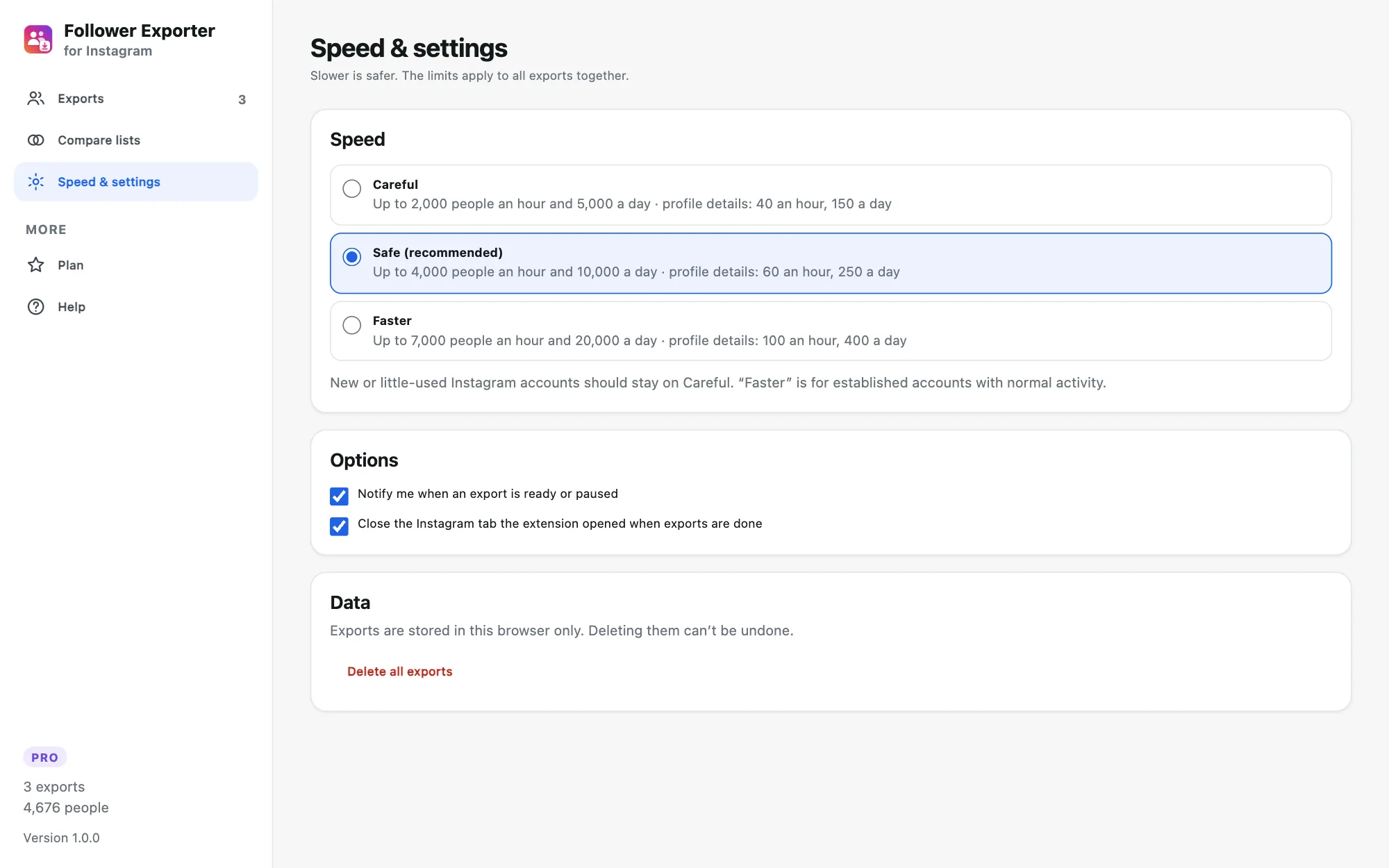
Instagram limits how much anyone can browse. Follower Exporter reads one page at a time with random pauses, short breaks, an hourly limit and a daily limit (about 10,000 people a day at the recommended speed). Profile details are slower still. If Instagram ever says “Try again later”, the export pauses on its own and tells you how long to wait.
- Read-only: never follows, likes or posts
- No password: works in your logged-in browser
- Three speeds, Careful for new accounts
Try it free. Pay once for whole lists.
No monthly plan, no credits, unlike most follower export tools.
No subscription · 14-day money-back guarantee
- Whole lists: every follower or following Instagram shows
- Profile details: bio, website, followers, following, posts, category
- Excel (.xlsx), CSV and JSON downloads, filtered or complete
- Compare two lists: common followers and differences
- Safe pacing, pauses and resumes by itself
- Extension updates and email support included
Secure payment with PayPal or card. Your license key arrives right away.
The free version exports the first 100 people of any followers or following list to CSV, with filters and list comparison counts.
Common questions
Something else? Write to support@getsocialexport.com. Guides: export Instagram followers · common followers of two accounts.
How do I export someone’s Instagram followers to Excel?
Install Follower Exporter, log in to instagram.com in Chrome, open the profile and click the extension icon, then “Export followers”. The list is read at a safe pace and downloads as an Excel file (.xlsx), a CSV for Google Sheets, or JSON.
Can I export the followers of any account?
Any public account, private accounts that accepted you as a follower, and your own account. Instagram doesn’t show the lists of other private accounts to anyone, so no tool can export them.
What information is in the file?
Username, full name, profile link, user ID, verified, private, has a profile photo, and the picture link. With profile details (Pro): bio, website link, number of followers, following and posts, business category and whether it’s a business account.
How many followers can I export?
There is no fixed maximum with Pro. To protect your account the extension reads at a human pace with hourly and daily limits: at the recommended speed about 4,000 people an hour and 10,000 a day, and it continues by itself after each pause. Profile details are slower (one request per person).
Why does my export have fewer people than the profile shows?
Instagram’s counter includes deactivated, restricted and spam accounts that it never shows in the list, and for very large accounts Instagram may stop sending the list after a while. The export tells you how many people Instagram returned.
Can my Instagram account get blocked?
The extension only reads, one request at a time with random pauses, and stops at once if Instagram shows “Try again later”. That keeps the risk low, but no tool can promise zero risk: prefer the Careful speed on new accounts and don’t run other automation at the same time.
Can I find common followers between two accounts?
Yes. Export both lists, then open “Compare lists”: you see how many people follow both, only one, or either account, and Pro downloads each group to Excel. Useful to find a competitor’s followers who don’t follow you yet.
Is it free?
The free version exports the first 100 people of any list to CSV, with filters. Pro ($19.90 once) exports whole lists with profile details, to Excel, CSV and JSON, and downloads list comparisons.
Other tools you might like
 Group Exporter for FacebookDownload every post, comment and reply from your Facebook groups.
 Giveaway PickerPick giveaway winners from Instagram, TikTok, YouTube & Facebook comments, with proof anyone can verify.
 Thread Exporter for RedditExport whole Reddit threads and subreddits, every comment included, ready for Excel or AI.
 Unfollowers TrackerSee who doesn’t follow you back on Instagram, who unfollowed you, and clean up safely.
Get the list you need, in Excel
Free for the first 100 people of any list. $19.90 once for whole lists and profile details.
GetSocialExport is not affiliated with Instagram or Meta. Exported lists are personal data: use them lawfully (for example under the GDPR), never for spam, and respect Instagram’s terms.