
 Thread Exporter · Chrome extension for Reddit
Whole Reddit threads, every comment, ready for Excel or AI
Export any thread with all its replies, including every “load more comments” and “continue this thread”. Or a subreddit’s top posts with their discussions. Clean files for spreadsheets, research and your AI tools.
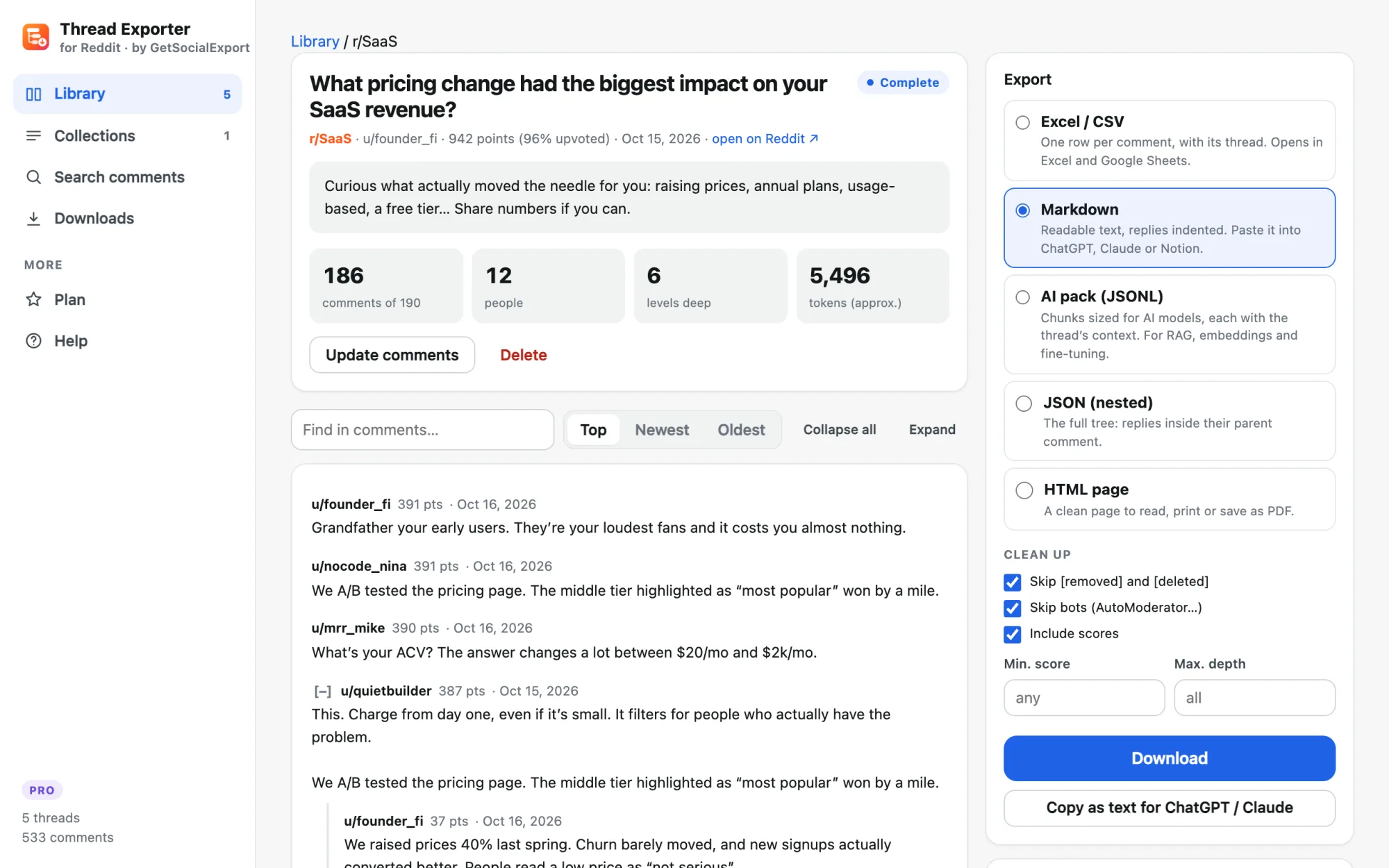
- Levels deep
- 6
- Time
- ~40 s
- Ready for
- ChatGPT · Excel
From a link to a clean file
No API key, no Python script, no copy-paste. Click on the page you’re reading, or paste any Reddit link.
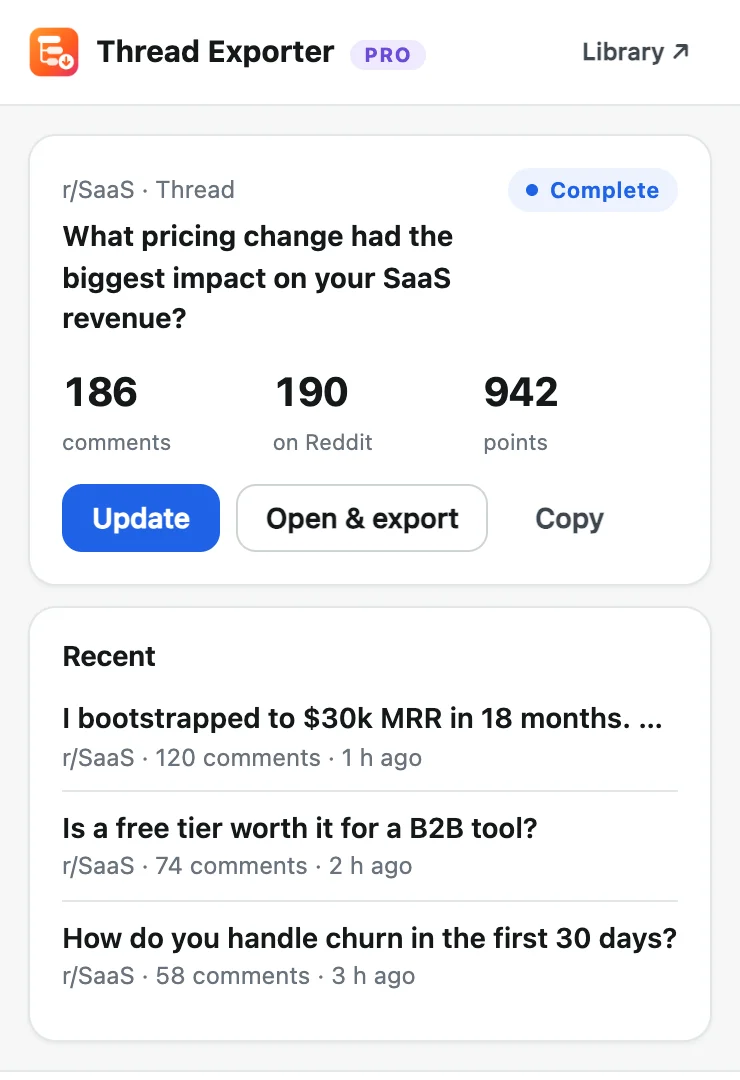
Open a thread or subreddit
Click the icon on any Reddit page. On a subreddit, pick the sort, the period and how many posts.
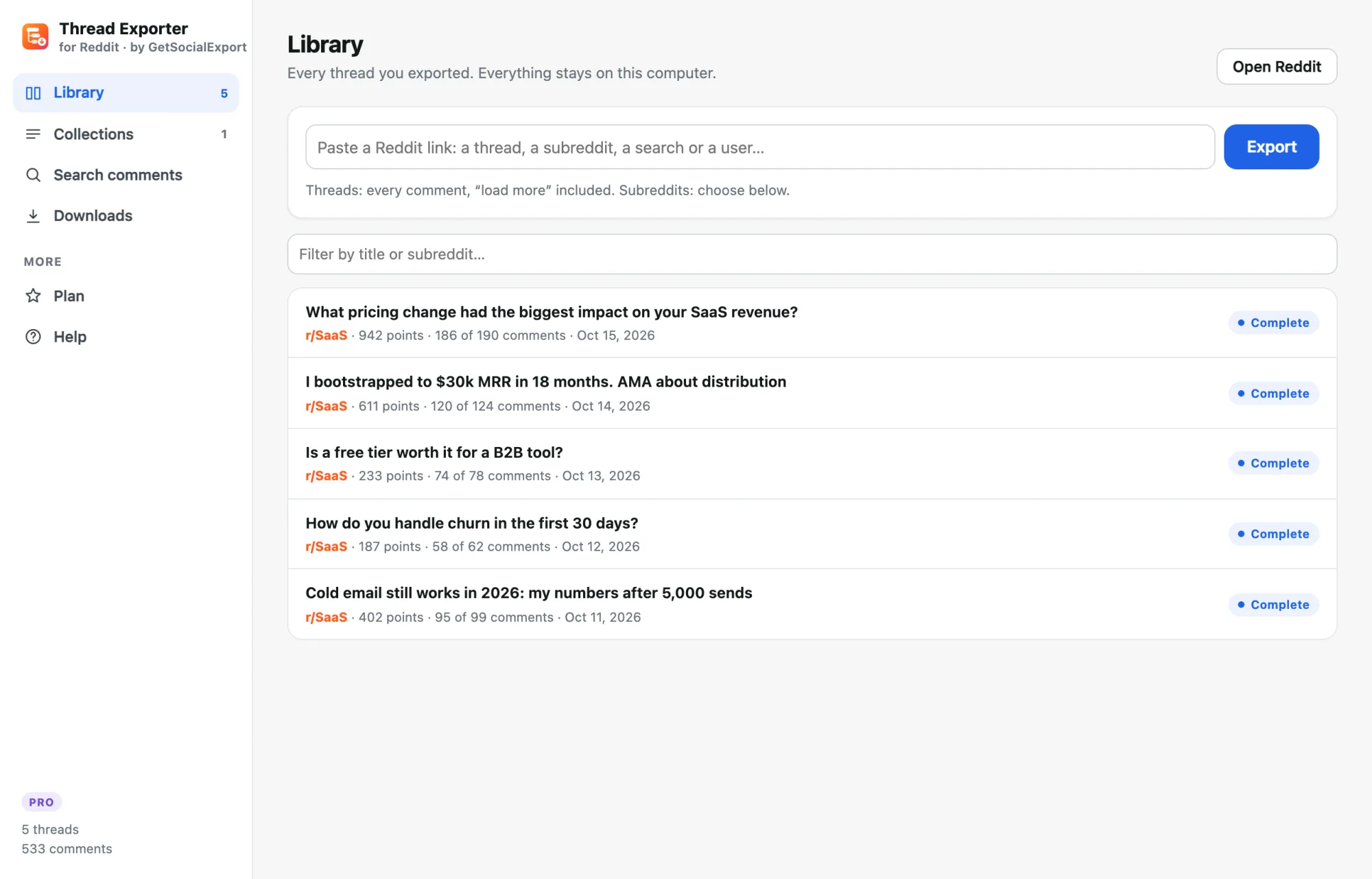
It loads everything
Every hidden reply is fetched in the background, at the pace Reddit allows. Close the page if you like: it continues.
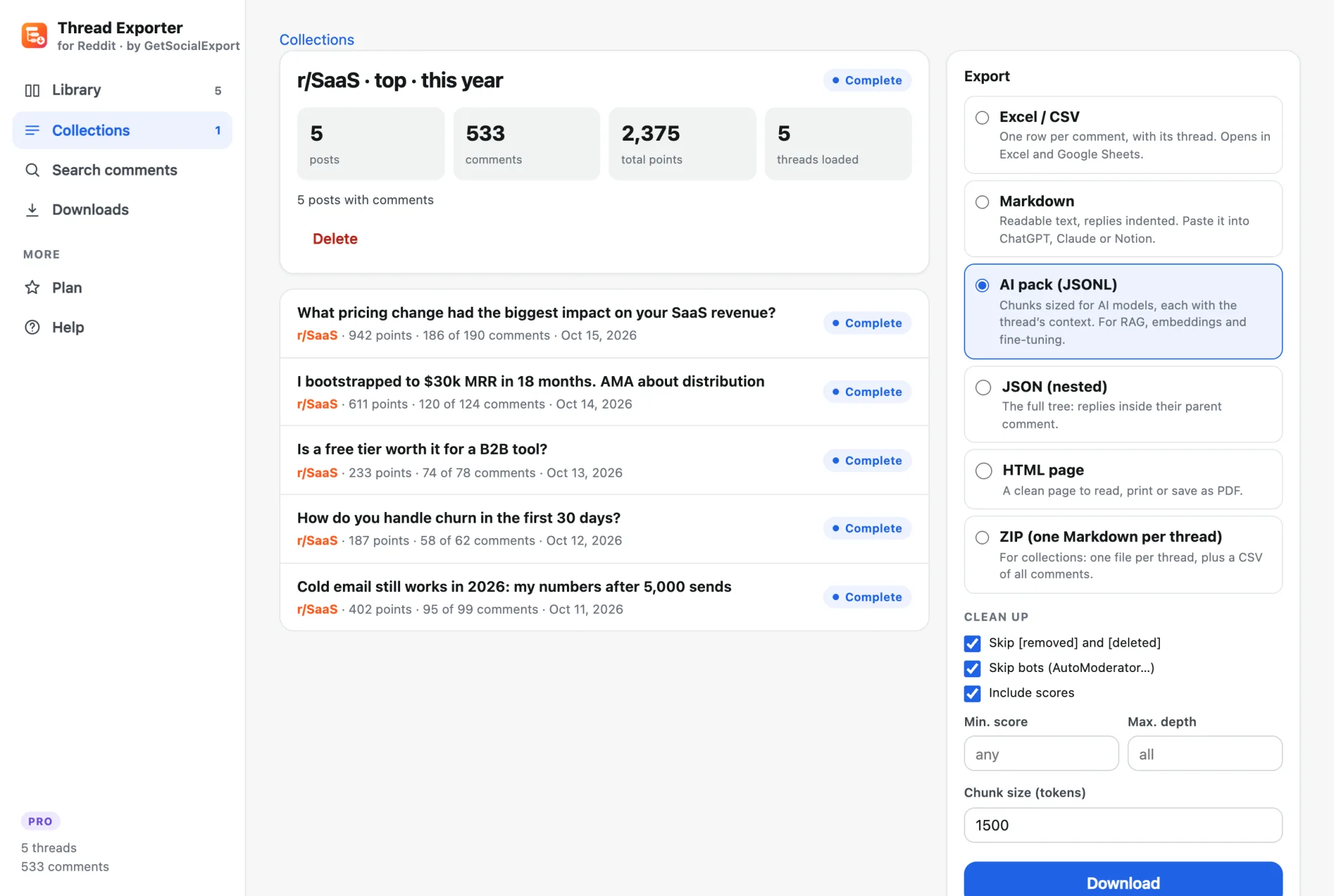
Export or copy
Download CSV, JSON, Markdown, HTML or the AI pack, or copy the thread as text straight into ChatGPT or Claude.
The right file for every job
Clean up before you export: skip removed comments and bots, keep only comments above a score, or stop at a depth.
Excel / CSV
One row per comment with its thread, author, score, date and parent. Pivot tables in seconds.
Markdown
Replies indented under their parent. Paste it into ChatGPT or Claude and ask your questions.
AI pack (JSONL)
Chunks of the size you choose, each with the thread’s title and question. For RAG, embeddings and fine-tuning.
JSON (nested)
The full tree: replies inside their parent comment, for your own code.
HTML
A clean page to read offline, print or save as PDF.
ZIP
Collections: one Markdown file per thread, plus one CSV with every comment.
Find any comment you ever exported
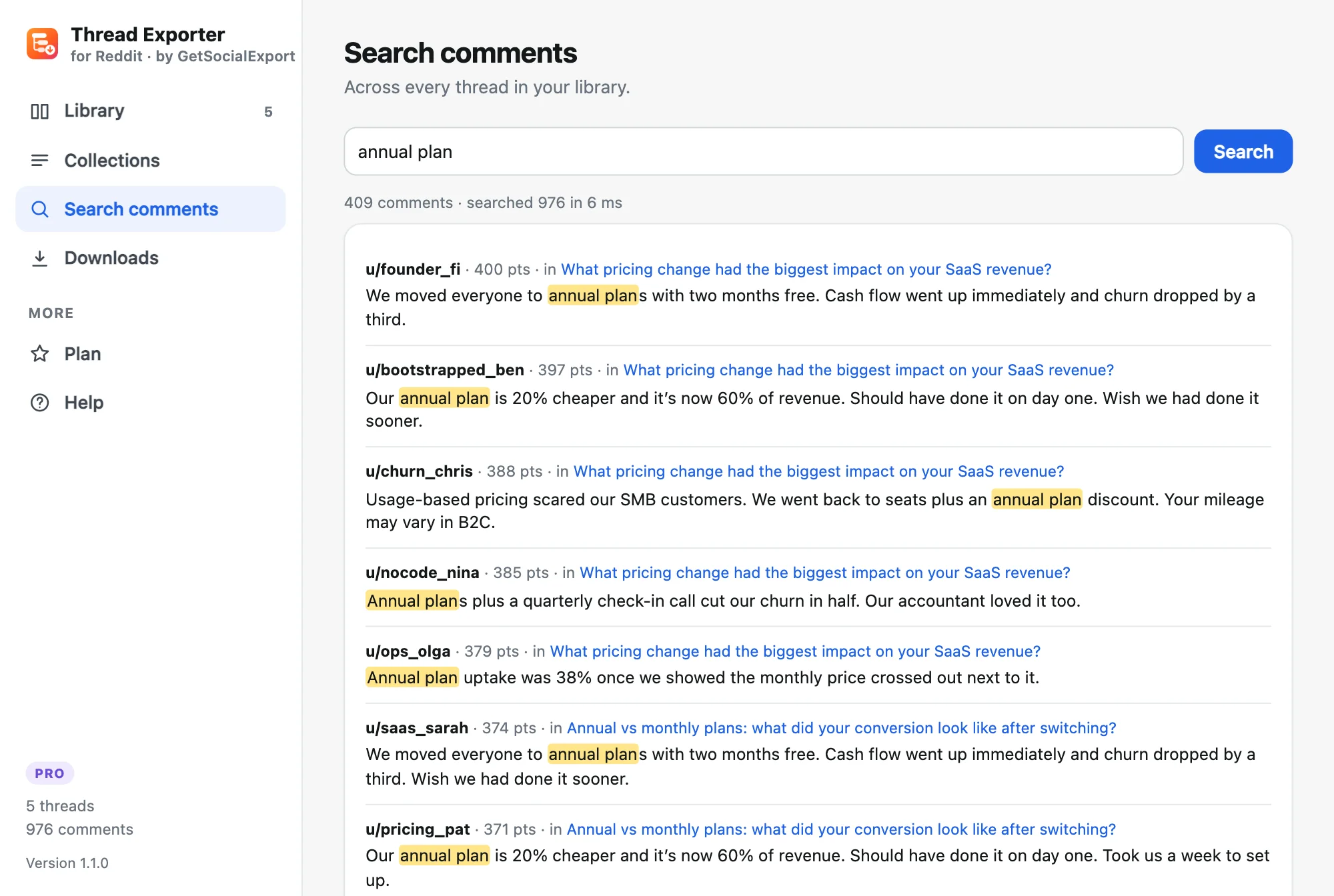
Every thread you export joins your library. Search all their comments at once, by word, phrase or u/username, then jump to the thread it came from.
- Searches thousands of comments in milliseconds
- Results ranked by score, with the thread title
- Works offline: your library stays on your computer
Built for people who learn from Reddit
Founders & marketers
Pull every thread where people discuss your problem space and read what they really say.
AI builders
Turn subreddits into clean, chunked datasets with sources, for RAG and evaluation.
Researchers
Collect discussions with exact dates, scores and structure, ready for analysis.
Writers & moderators
Archive great threads before they’re deleted, and read them offline.
One price, paid once
Free for threads up to 300 comments. Upgrade when you need everything.
No subscription · 14-day money-back guarantee
- Whole threads, every comment, whatever the size
- Subreddits, searches and user profiles: up to 1,000 posts
- AI packs: chunked JSONL with context, Markdown, nested JSON
- Excel/CSV, HTML and ZIP exports of whole collections
- Filters: min. score, no bots, no removed comments, max. depth
- Extension updates and email support included
Secure payment with PayPal or card. Your license key arrives right away.
The free version exports threads up to 300 comments and 25 posts per subreddit, to CSV and Markdown.
Common questions
Something else? Write to support@getsocialexport.com. Guide: how to export a Reddit thread.
How do I export all comments from a Reddit thread?
Open the thread on reddit.com, click the Thread Exporter icon and choose “Export all comments”. The extension follows every “load more comments” and “continue this thread” link for you, then exports to Excel/CSV, Markdown, JSON or HTML.
Can I export a whole subreddit?
Yes. Open the subreddit (or paste its link), choose the sort (hot, new, top of the week, month, year, all time), how many posts (up to 1,000 with Pro) and whether to load every comment of each post. Searches and user profiles work the same way.
Which format should I use for ChatGPT or Claude?
For a few threads, Markdown: replies are indented, so the AI understands who answers whom. Use “Copy as text” and paste. For many threads or your own AI tools, the JSONL AI pack splits each thread into chunks of the size you choose, each carrying the thread’s title and question.
Is it fast? Will Reddit block me?
It reads Reddit’s own rate-limit headers and paces itself to stay within them, waiting automatically if Reddit asks to slow down. A 1,000-comment thread takes about a minute.
Do I need a Reddit account?
No, for public subreddits. For a private community you belong to, be logged in on reddit.com: the extension then reads through your session.
Is it free?
Yes for threads up to 300 comments and 25 posts per subreddit, with CSV and Markdown exports. Pro ($19.90 once) removes the limits and adds the AI pack, JSON, HTML and ZIP exports.
Other tools you might like
 Group Exporter for FacebookDownload every post, comment and reply from your Facebook groups.
 Giveaway PickerPick giveaway winners from Instagram, TikTok, YouTube & Facebook comments, with proof anyone can verify.
 Unfollowers TrackerSee who doesn’t follow you back on Instagram, who unfollowed you, and clean up safely.
 Follower ExporterExport the followers or following of any public Instagram account to Excel, CSV or JSON.
Get the whole discussion
Free for threads up to 300 comments. $19.90 once for everything.
GetSocialExport is not affiliated with Reddit. Public content only; respect Reddit’s terms and people’s privacy when you reuse what you export.