





How to export Instagram followers to Excel (or CSV)
Instagram shows followers in a small scrolling window and has no download button. Here is how to get the whole list of any public account into a spreadsheet, with bios, websites and follower counts if you need them.
Updated October 2026
Step by step
- Install Follower Exporter. Add it to Chrome, Edge or Brave, and log in to instagram.com in the same browser.
- Open the profile. Go to the Instagram account whose followers you want, click the extension icon, then "Export followers". You can also type the username in the dashboard.
- Let it read the list. The extension reads the list page by page at a human pace, in the background. Big accounts take a while: it pauses at the hourly and daily limits and continues by itself.
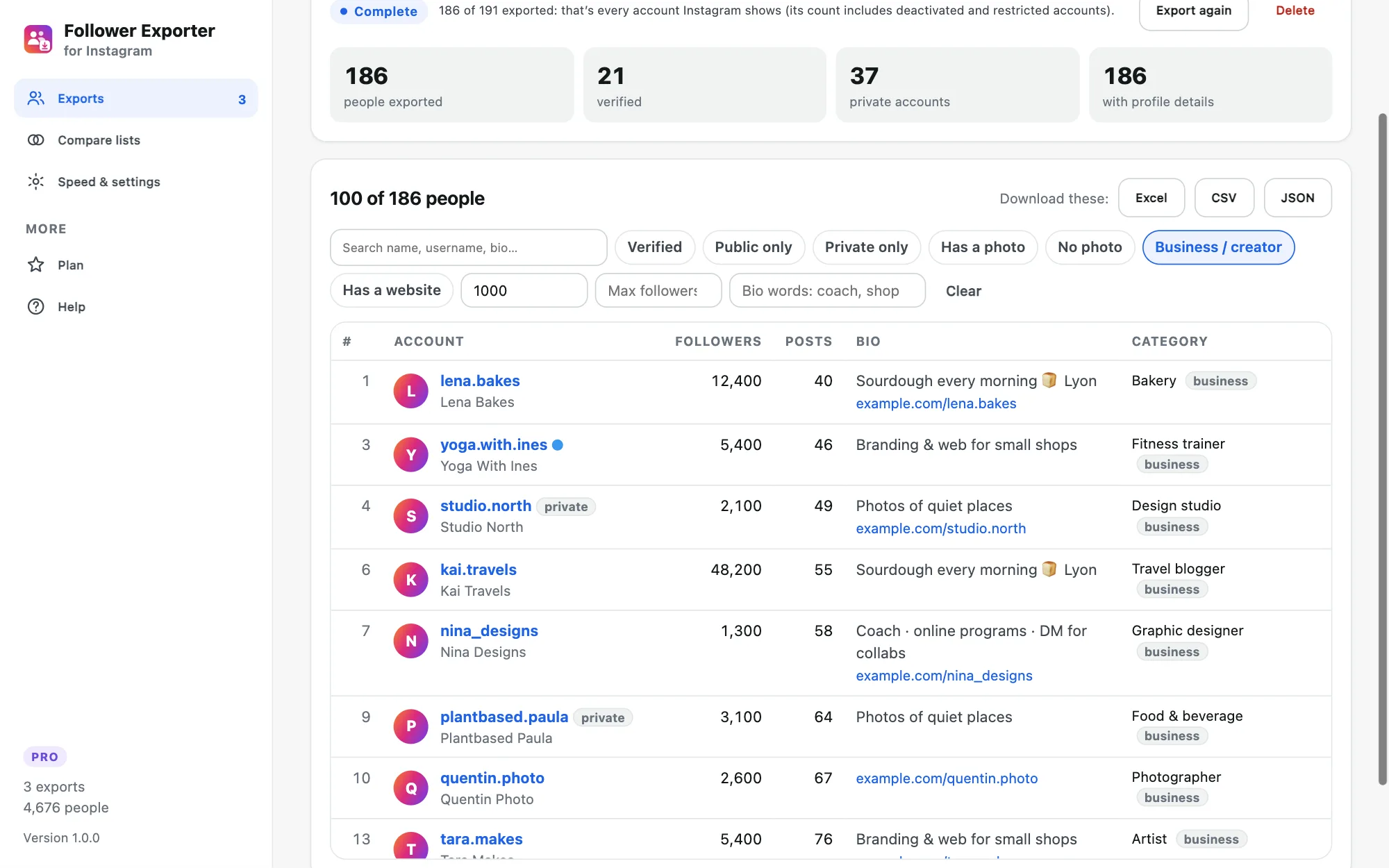
- Download. Click Excel for a .xlsx with filters and a frozen header, CSV for Google Sheets, or JSON. Filter first if you only want some accounts.
What’s in the file
Each row has the position in the list, username, full name, profile link, user ID, whether the account is verified or private, and whether it has a profile photo. With profile details (Pro), you also get the bio, website link, number of followers, following and posts, the business category and whether it’s a business or creator account.
Can you export the followers of a private account?
Only if that account accepted you as a follower, or if it’s your own. Instagram doesn’t show the followers of other private accounts to anyone, so no tool can export them (and you should be wary of tools that claim to).
Why are there fewer rows than the follower count?
Instagram’s counter includes deactivated, restricted and spam accounts that it never shows in the list. For very large accounts it may also stop sending the list after some point. The export tells you how many people Instagram returned.
Is it safe for my account?
The extension only reads, like you scrolling the list: one request at a time with random pauses, hourly and daily limits, and it pauses at once if Instagram says "Try again later". Choose the Careful speed for new accounts and don’t run other Instagram automation at the same time.
Remember that a follower list is personal data: use it lawfully, for example for research or to plan outreach people expect, never for spam.
More guides
- How to export the accounts someone follows on Instagram
- How to find common followers between two Instagram accounts
- How to export the guest list of your Facebook event
- How to pick a random TikTok giveaway winner from comments, with proof
- How to pick a random winner from YouTube comments
- Instagram unfollow limit: how many accounts can you unfollow per day?
- How to scrape Reddit without the API (and without code)
- How to export a subreddit to CSV, with every comment