





Guides / YouTube comment picker
How to pick a random winner from YouTube comments
Running a giveaway on YouTube? Here is how to load every comment of your video or Short, keep only the entries that follow your rules, draw the winner live with public randomness, and prove it with a certificate.
Updated October 2026
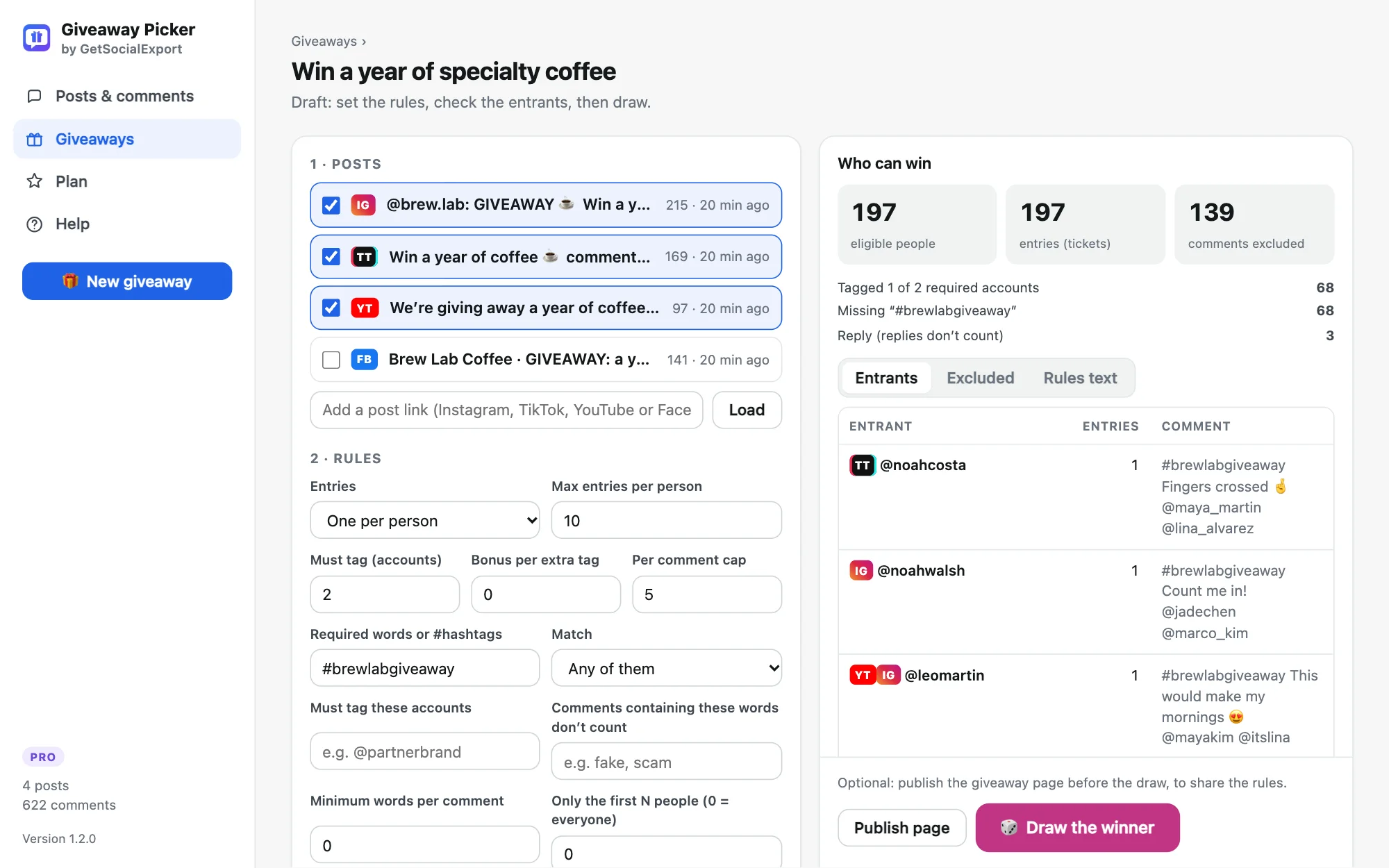
Step by step
- Install Giveaway Picker. Add it to Chrome, Edge or Brave.
- Load the comments. Open your YouTube video or Short, click the extension icon, then "Load comments". Every comment and reply is loaded through YouTube's own page.
- Choose the rules. Required words or hashtags, one entry per person, excluded accounts, start and end dates.
- Draw the winner. The entrant list is locked, then the winner comes from a public random number that only exists 30 seconds later. Share the certificate in the description or a pinned comment.
Try it on your post, free. The free version loads 300 comments per post and runs giveaways up to 300 entrants, certificate included. Pro is $24.90 once.
About dates on YouTube
YouTube shows comment dates as "3 days ago", not exact times, so deadline rules are precise to the day (to the hour for recent comments). Close the giveaway a little before the draw to be safe.
Export YouTube comments to Excel
Every loaded comment can be exported to CSV for Excel or Google Sheets, with author, channel, likes, reply count and text.
More guides
- How to pick a random TikTok giveaway winner from comments, with proof
- How to pick a random Instagram giveaway winner, and prove it was fair
- How to export Instagram comments to Excel or CSV
- How to pick a random winner from Facebook comments
- How to export Instagram followers to Excel (or CSV)
- How to export the accounts someone follows on Instagram
- How to find common followers between two Instagram accounts
- How to export the guest list of your Facebook event