





How to export Instagram comments to Excel or CSV
Instagram shows comments a few at a time and has no export button. Whether you want to read feedback in a spreadsheet, count mentions, analyse a launch or keep a record, here is how to get every comment and reply of a post or reel into Excel, without an API key or a developer account.
Updated October 2026
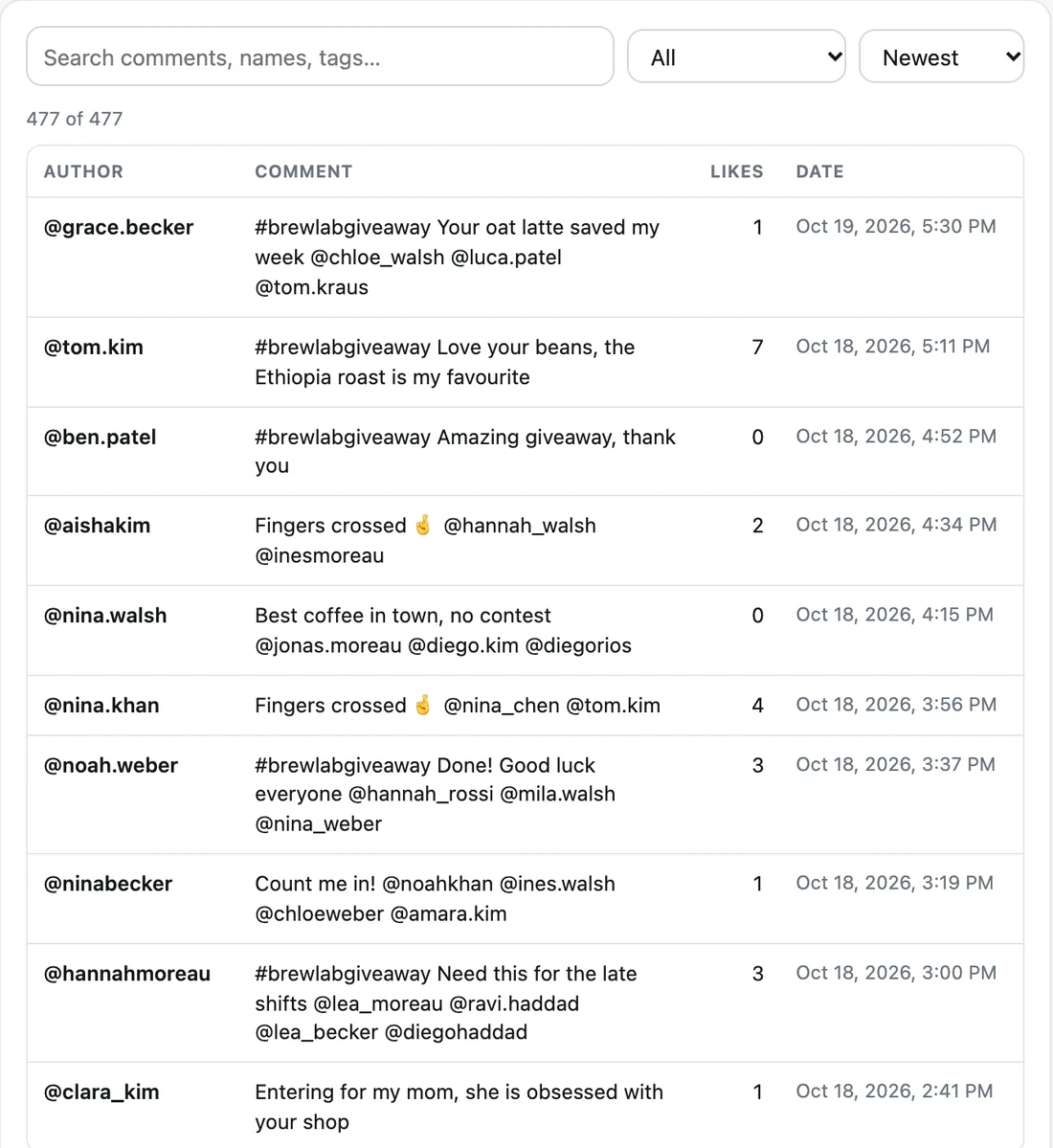
Step by step
- Install Giveaway Picker. Add the extension to Chrome, Edge or Brave. It includes the comment exporter.
- Open the post or reel. Log in to Instagram, open the post or reel, then click the extension icon.
- Load the comments. Click "Load comments". The extension loads every comment and, if you keep the option on, every reply, at a human pace.
- Export to CSV. Open the studio and click "Excel / CSV". The file opens in Excel, Google Sheets and Numbers with accents and emoji intact.
What the export contains
One row per comment or reply, with: platform, post URL, comment id, parent comment id (for replies), username, display name, profile URL, comment text, likes, number of replies, accounts tagged, number of tags, date and time (ISO format) and a link to the comment.
JSON keeps the same data in a structured file for developers and data tools. Pro adds a printable HTML version, handy to archive a post with its whole conversation or save it as a PDF.
Why not copy and paste?
Instagram loads comments in small batches and nests replies under "View replies". Copying loses who wrote what, the dates and the thread structure, and long posts take hours. The extension reads the same data Instagram sends to your browser, so names, texts and dates come out exactly as they are.
Things you can do with the spreadsheet
Count who comments most, find the most tagged accounts, filter by keyword, read every question about a product launch, or check which comments arrived after a deadline. The studio already shows the most active commenters and the most tagged accounts for each post.
Running a giveaway? The same comments can be used directly to pick a winner with rules and a public, verifiable certificate, no export needed.
Large posts and limits
The free version loads 300 comments per post. Pro loads every comment, on posts with thousands of them. If Instagram asks to slow down, the extension waits and continues by itself.
Comments contain other people’s names and words: keep exports for your own analysis and respect privacy laws when you share them.
More guides
- How to pick a random TikTok giveaway winner from comments, with proof
- How to pick a random winner from YouTube comments
- How to pick a random Instagram giveaway winner, and prove it was fair
- How to pick a random winner from Facebook comments
- How to export Instagram followers to Excel (or CSV)
- How to export the accounts someone follows on Instagram
- How to find common followers between two Instagram accounts
- How to export the guest list of your Facebook event