





How to see who unfollowed you on Instagram
Instagram shows your follower count, but never who left. Apps that promise to tell you often want your password, which is risky. Here is a safe way: compare your followers from one day to the next, automatically, with a browser extension that works in your own logged-in tab.
Updated October 2026
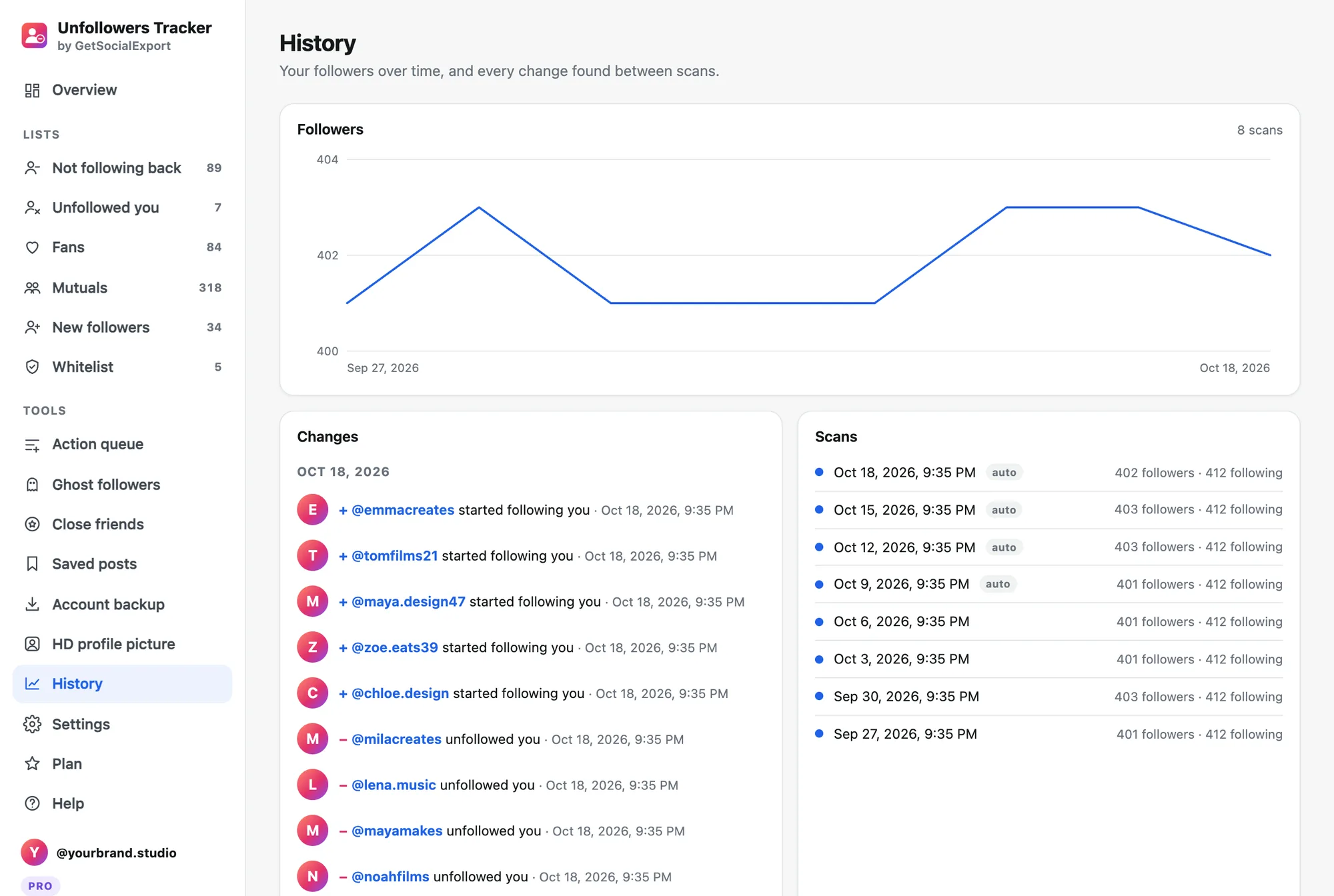
Step by step
- Install Unfollowers Tracker. Add Unfollowers Tracker to Chrome (also Edge or Brave) and log in to instagram.com in that browser.
- Run a first scan. Click the extension icon, then "Scan my account". It reads your followers and following at a human pace, in about a minute.
- Scan again later. The next day, or the next week, scan again. The extension compares both scans and lists who unfollowed you, with the date. Pro can scan automatically every day and notify you.
- Decide what to do. Unfollow them back in one click, or keep them in your whitelist.
Why Instagram doesn't tell you
Instagram never notifies anyone of an unfollow. The only way to know is to compare your followers list at two different times, which is impossible by hand once you have more than a few hundred followers.
Avoid apps that ask for your password
Giving your Instagram password to a third-party app can get your account flagged or stolen. Unfollowers Tracker never asks for it: it works inside your normal Instagram tab, and your lists stay on your computer.
Why the number can differ slightly
Instagram's counter includes deactivated and some restricted accounts that its lists don't return. A difference of a few accounts is normal. Someone who deactivates their account also appears as "unfollowed".
More guides
- Instagram unfollow limit: how many accounts can you unfollow per day?
- How to track your Instagram followers over time, without giving your password
- How to see who doesn't follow you back on Instagram, and unfollow safely
- How to export Instagram followers to Excel (or CSV)
- How to export the accounts someone follows on Instagram
- How to find common followers between two Instagram accounts
- How to export the guest list of your Facebook event
- How to pick a random TikTok giveaway winner from comments, with proof