 FB Group Exporter
How to export all comments and replies from a Facebook group
In most Facebook groups, the real value is in the comments: the answers, recommendations and experiences under each question. Facebook hides most of them behind "View more comments" and "View replies", and offers no way to export them. Here is how to get every comment and every nested reply into a spreadsheet, with the thread structure kept intact.
Updated October 2026
Step by step
- Install FB Group Exporter. Add the extension to Chrome (it also works on Edge and Brave) and pin it to the toolbar.
- Open the group and start the download. Open the Facebook group, click the extension icon, keep "Comments & replies" switched on, and click "Download this group".
- Let it collect the threads. For each post, the extension loads all comments in "All comments" order, then every reply under each comment, at a human pace in a background tab.
- Export comments.csv. Open the dashboard, go to Export, tick "Spreadsheet (CSV)" and download. comments.csv contains one row per comment or reply, linked to its post and parent comment.
Why comments are hard to export
Facebook shows only a few "most relevant" comments under each post. The rest load in small batches when you click "View more comments", and replies hide one level deeper behind "View 3 replies". A post with 200 comments can need dozens of clicks, and Facebook's own "Download Your Information" tool only includes comments you wrote yourself.
Copy-pasting loses the structure: you can no longer tell which reply answers which comment, who wrote it, or when. For analysis, research or a knowledge base, you need each comment as a row with its author, date, reactions and parent.
What you get for every comment
comments.csv has one row per comment or reply with these columns: comment_id, post_id, reply_to_comment_id, depth (0 for a comment, 1 for a reply, 2 for a reply to a reply), date, author, author_id, text, reactions, attachments and post_url.
Because each row carries its post_id and the id of the comment it replies to, you can rebuild every conversation, count replies per comment, or join comments to posts.csv in Excel with XLOOKUP or a pivot table.
Export comments from one post or from the whole group
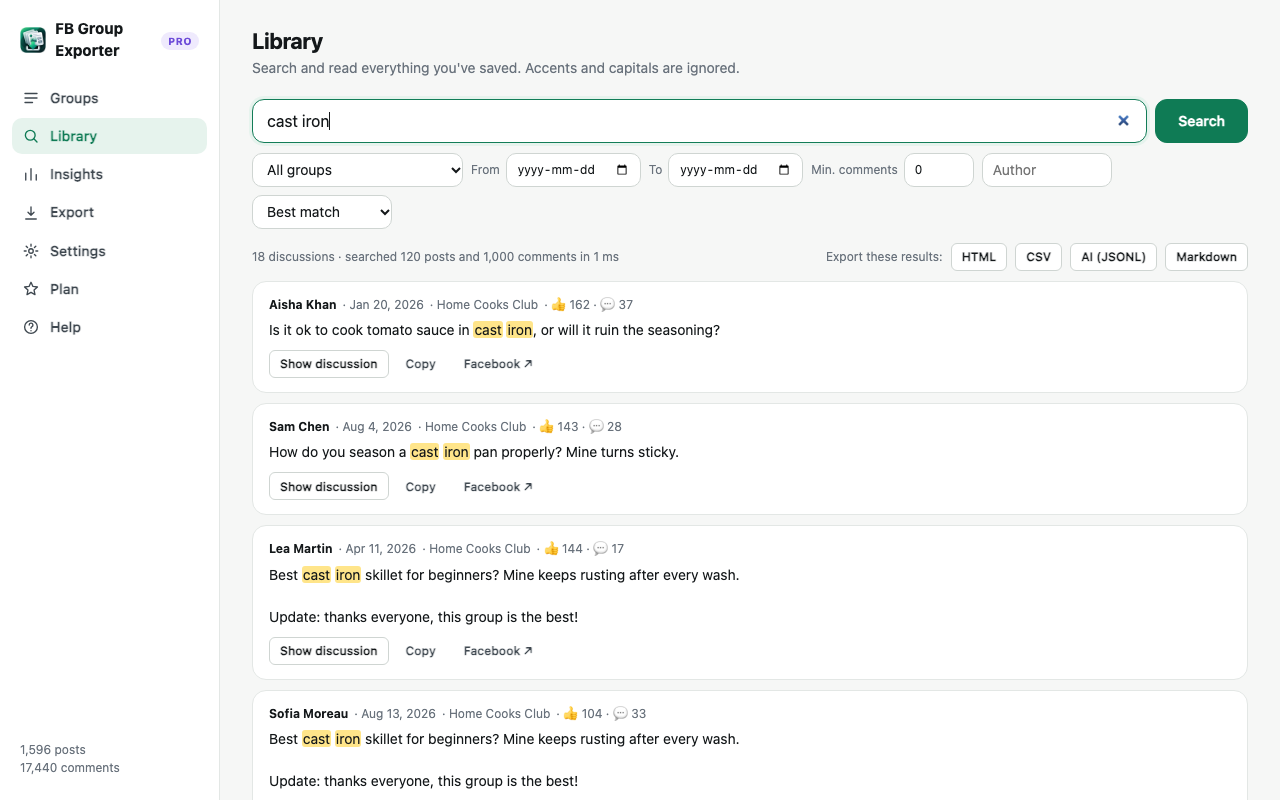
Downloading the group saves every post with its comments. To export only some of them, use the Library: search for a keyword or an author, or filter by date or minimum number of comments, then click "Export these results" and choose CSV. Only the matching discussions and their full threads are exported.
You can also filter the export itself by date range and minimum comment count, which is handy for the most discussed posts of the last year.
Other formats for comments
The offline HTML archive shows each post with its threaded comments, ready to read, search or print to PDF. JSON keeps the full nested structure (post → comments → replies) for developers. JSONL puts one discussion per line with a ready-made text field that includes every comment, the best format for ChatGPT, Claude or a RAG knowledge base.
Keeping comment exports up to date
Discussions keep growing after you download them. "Update now" re-checks recent posts for new comments and catches older posts that got new replies, so a fresh export always includes the latest answers without downloading the whole group again. Pro can run this automatically every day.
Good practice
Comments contain other people's names and words. Keep exports for your own analysis, respect the group's rules, and remove or pseudonymise names before sharing data publicly, as privacy laws like the GDPR may require.
More guides
- How to get a Facebook group into Google Sheets
- How to download the photos from a Facebook group
- How to export a private Facebook group you're a member of
- Facebook group analytics without admin access
- Collecting Facebook group data for academic research
- The best ways to export Facebook group posts and comments (compared)
- How to download all posts from a Facebook group
- How to export Facebook group posts and comments to Excel
- How to back up and archive a Facebook group
- Scrape Facebook group posts and comments without code
- How to save a Facebook group as a PDF
- Turn a Facebook group into an AI knowledge base