 FB Group Exporter
Facebook group analytics without admin access
Facebook's built-in Group Insights are only available to admins, and only cover recent activity. If you want to understand any group you belong to (what people talk about, who the most helpful members are, how activity changes over time) you can build your own analytics from the group's posts and comments.
Updated October 2026
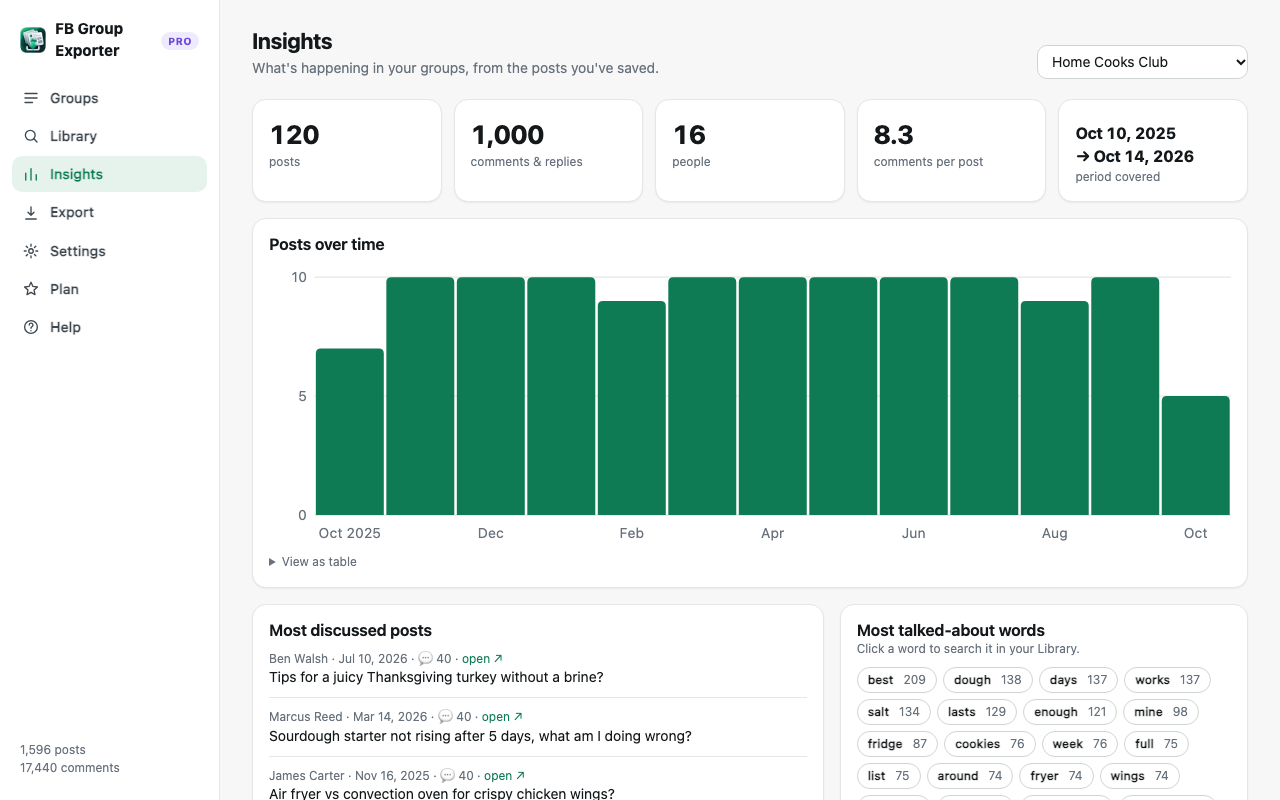
Step by step
- Download the group. Open the group with FB Group Exporter installed and click "Download this group" with comments switched on.
- Open Insights. In the dashboard, open Insights and pick the group.
- Read the key numbers. Posts, comments, active people, comments per post, and the period covered.
- Dig deeper. Click a frequent word to search it in the Library, or export to CSV for custom analysis in Excel or Google Sheets.
What the Insights page shows
Posts over time: a monthly chart of activity, to spot growth, seasonality or decline. Most discussed posts: the threads with the most comments, usually the group's best knowledge. Most talked-about words: the topics that come up most, with common words filtered out. Top posters and top commenters: the most active and most helpful members.
Questions you can answer
Is the group growing or slowing down? Which topics generate the most discussion? Who answers most questions, and are they potential moderators or partners? What do members ask about repeatedly (perfect for a FAQ or a product idea)? When were the busiest periods?
Going further with spreadsheets and AI
Export posts.csv and comments.csv for pivot tables, engagement rates or topic tagging. For qualitative analysis, export JSONL or Markdown and ask an AI assistant to summarise recurring problems, sentiment or the best recommendations across thousands of comments.
Free vs Pro
Insights work in the free version on the 200 posts it downloads. Pro analyses the whole group history and keeps it current with daily updates.
More guides
- How to export all comments and replies from a Facebook group
- How to get a Facebook group into Google Sheets
- How to download the photos from a Facebook group
- How to export a private Facebook group you're a member of
- Collecting Facebook group data for academic research
- The best ways to export Facebook group posts and comments (compared)
- How to download all posts from a Facebook group
- How to export Facebook group posts and comments to Excel
- How to back up and archive a Facebook group
- Scrape Facebook group posts and comments without code
- How to save a Facebook group as a PDF
- Turn a Facebook group into an AI knowledge base